SD卡相关
📎 原始文档:https://www.kdocs.cn/l/cs11pw8tr9Fd SD卡相关
- SD卡定义 SD卡是Secure Digital Card,直译就是“安全数字卡”,使用SPI或者SDIO接口驱动,AC695N/JL701N/JL707N全部采用SDIO驱动方式。
- SD卡应用
1、SD卡 io 和驱动配置
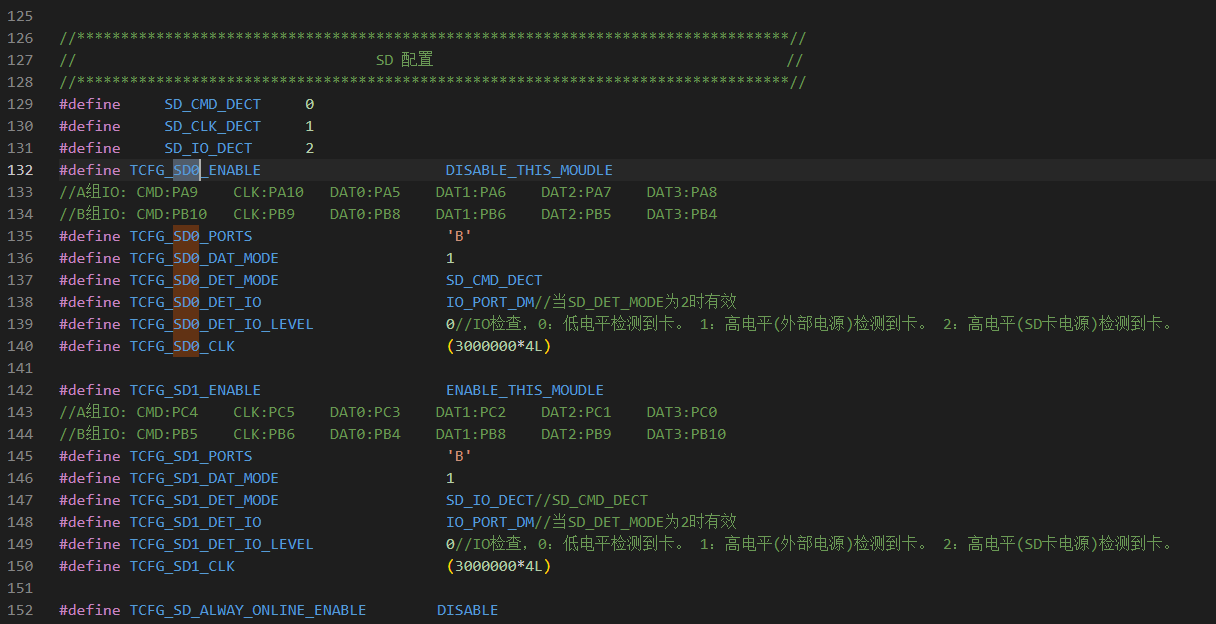
2、检测方式配置
可以配置检测方式,鉴于手表考虑功耗,则主动去除了了检测功能,默认SD卡全程在线;如果需要热插拔可以如下修改,并且硬件也需要有硬件电路支持方可。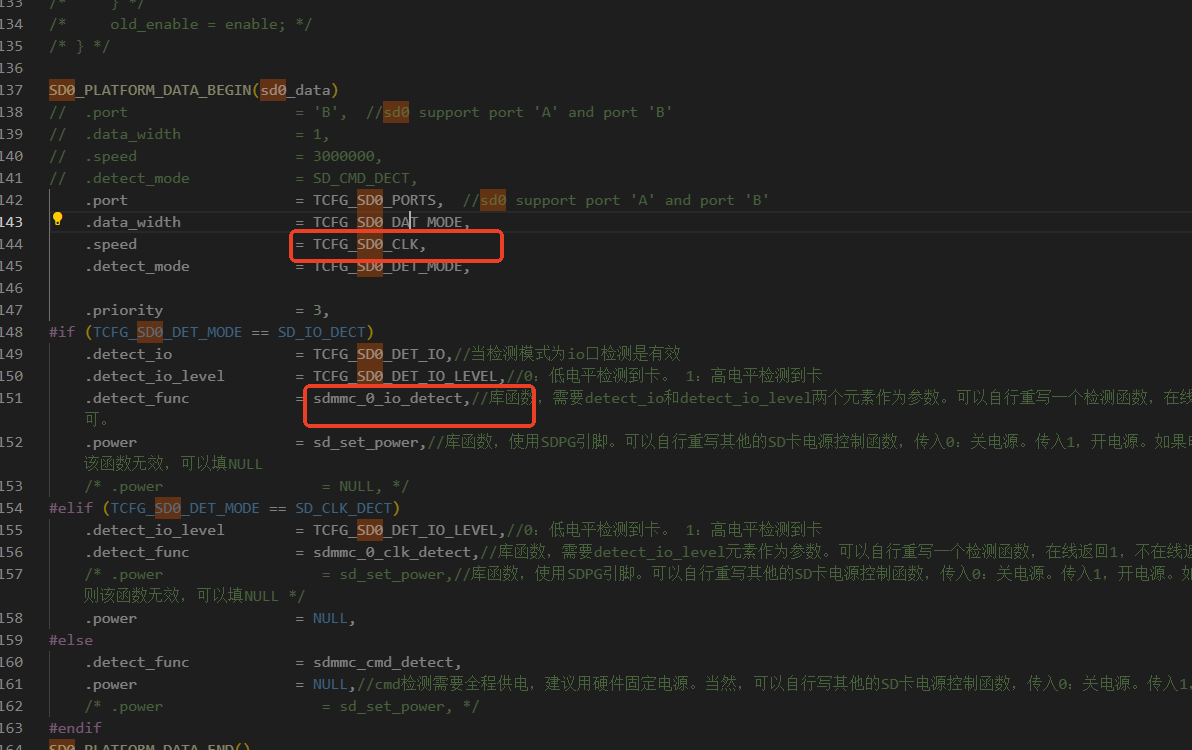
3、读写sd卡的速度评估()
写卡测试方法:
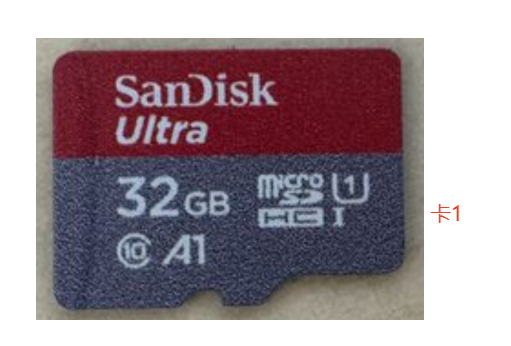
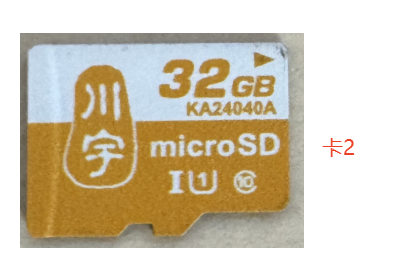
| 卡1 20k数据大小每次 | 卡1 40k数据大小每次 | 卡2 20k数据大小每次 | 卡2 40k数据大小每次 | |
|---|---|---|---|---|
| 1线12M时钟 | 22ms | 40ms | 20ms | 40ms |
| 1线24M时钟 | 14ms | 26ms | 14ms | 27ms |
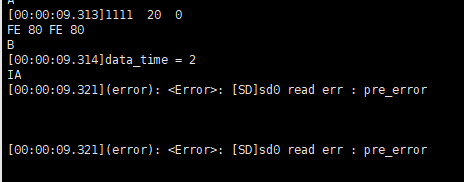
| 1线48M时钟 | 10ms | 20ms | 下图报错 | 下图报错 |
| 4线12M时钟 | 10ms | 19ms | 写入速度不稳定,大多时候11ms 概率会有一包时长达到120ms | 写入速度不稳定,大多时候19ms概率会有一包时长达到120ms |
| 4线24M时钟 | 10ms | 15ms | 写入速度不稳定,最短8ms,最长能达到400ms | 写入速度不稳定,概率会有一包时长达到120ms |
| 4线48M时钟 | 7ms | 12ms | 下图报错 | 下图报错 |
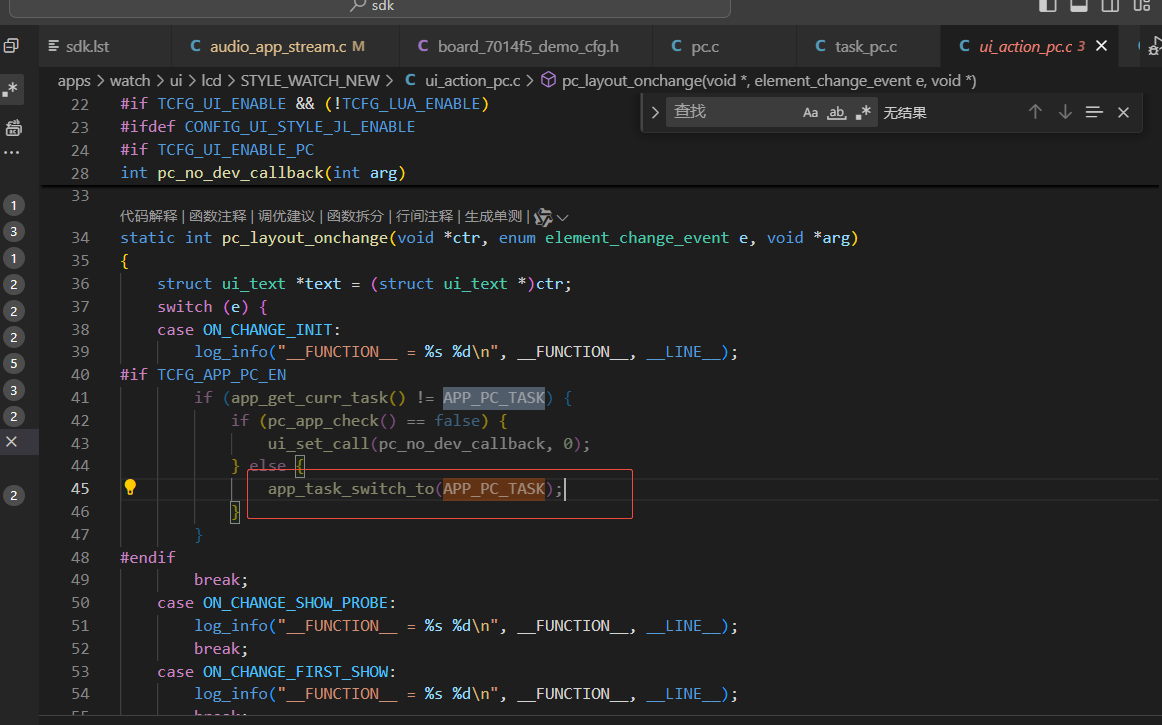
SD 卡分区隐藏与 PC 模式暴露控制
- 打开pc模式 TCFG_APP_PC_EN 1
- 按键或其他事件触发pc 模式 pp_task_switch_to(APP_PC_TASK); 切换正常APP_BT_TASK
三、常见问题处理
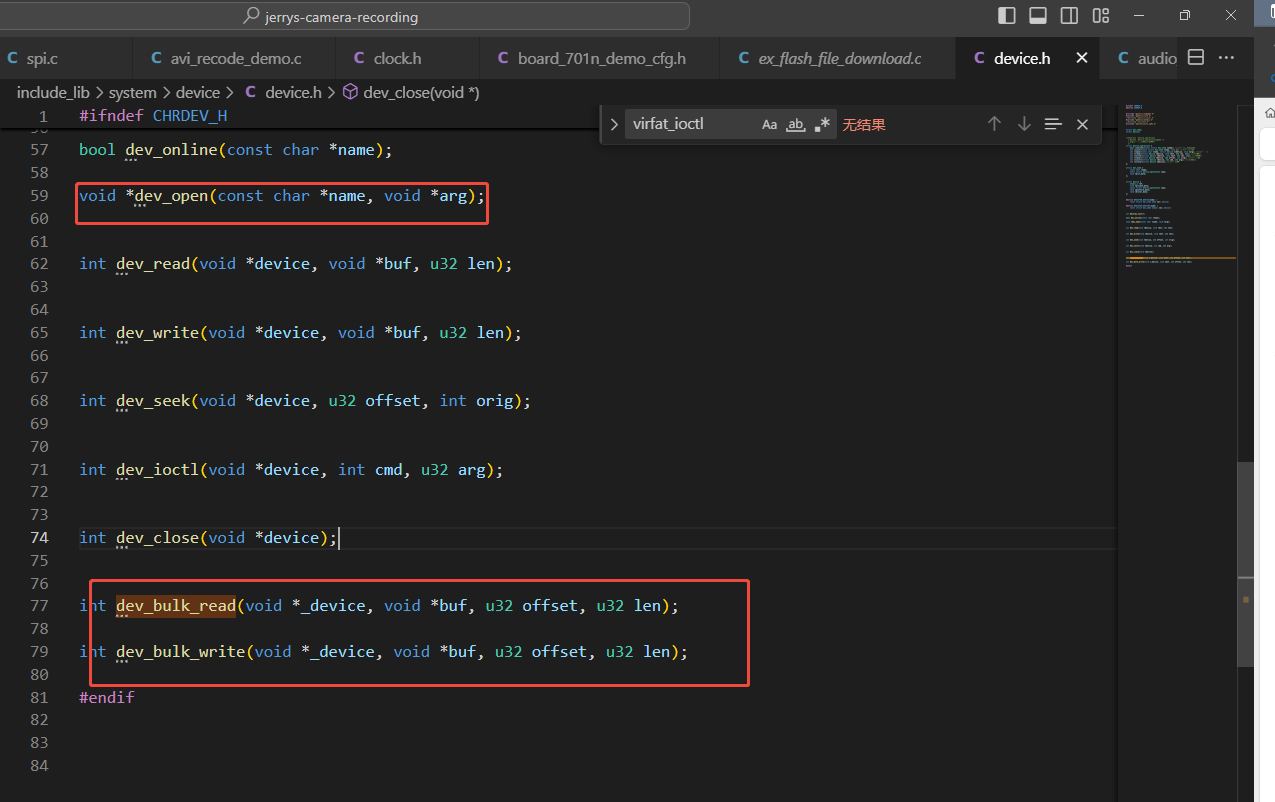
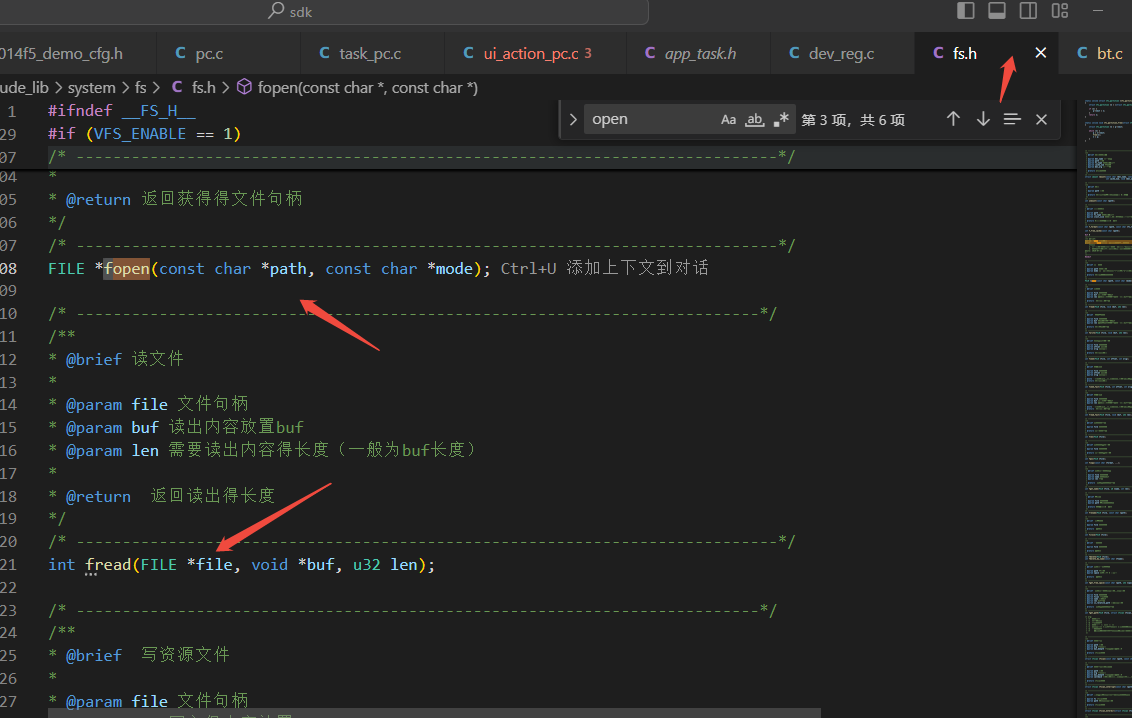
SD 卡直接地址偏移读写接口 sd 支持fat文件系统,直接操作分区地址也可以 ,需要管控好对应分区逻辑 否则操作到文件系统部分会出现挂载不上 (建议直接使用文件系统接口)
MMC卡读写支持
const int sdx_can_operate_mmc_card = 1;
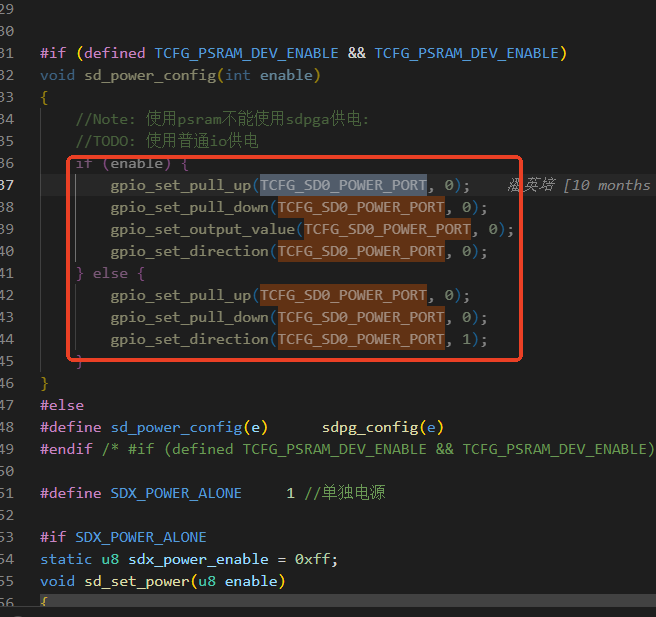
2、701n更换io控制MOS供电配置,注意这个需要跟PSRAM互斥,因为psram 用到了PE5的io,所以在使用MOS控制的时候,需要注意宏的修改:
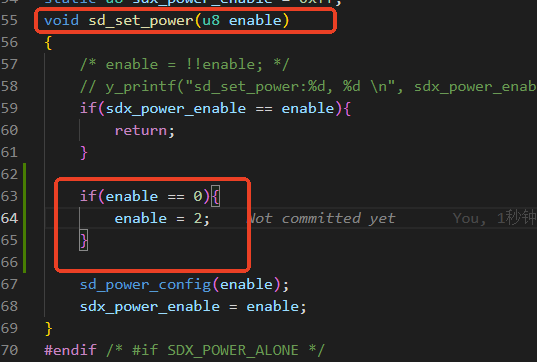
3、JL701N系列使用SDPG 供电有些SD卡会挂不上问题,主要是有些SD卡的功耗比较大,默认的上电驱动带不动,导致挂载失败,可以参考如下修改:
4、读取SD卡容量
读取总容量:
struct vfs_partition *fget_partition(const char *path);//获得分区part
//sd0
struct vfs_partition *part;
part = fget_partition("storage/sd0/C/");
printf("total_size %dKB - %d MB,clust size %d\n",part->total_size,part->total_size/1024,part->clust_size);

//sd1
struct vfs_partition *part;
part = fget_partition("storage/sd1/C/");
printf("total_size %dKB - %d MB,clust size %d\n",part->total_size,part->total_size/1024,part->clust_size);

//USB
struct vfs_partition *part;
part = fget_partition("storage/udisk0/C/");
printf("total_size %dKB - %d MB,clust size %d\n",part->total_size,part->total_size/1024,part->clust_size);
读取剩余容量:
int fget_free_space(const char *path, u32 *space);   函数返回值单位为KB
//sd0
u32 free_space = 0;
fget_free_space("storage/sd0/C/",&free_space);
printf("free_space %d\n",free_space);

//sd1
u32 free_space = 0;
fget_free_space("storage/sd1/C/",&free_space);
printf("free_space %d\n",free_space);

//USB
u32 free_space = 0;
fget_free_space("storage/udisk0/C/",&free_space);
printf("free_space %d\n",free_space);
5、获取SD卡格式
使用接口fget_partition("storage/sd0/C/")->fs_type 值1、2、3、4,分别对应 fat12\16\32和exfat
本文档为保密信息,未经授权,请勿转发或告知第三方。非常感谢!
This electronic documentation and any attachments are confidential and may be legally privileged or otherwise protected from disclosure. If you are not the intended recipient, please do not disclose the contents to anyone。
Thank you for your cooperation!
解析权归杰理所有!
The analysis right belongs to JieLi Technology Co., Ltd.