录音功能
📎 原始文档:https://www.kdocs.cn/l/cf8xp0ZVL49D 录音功能
- 录音配置
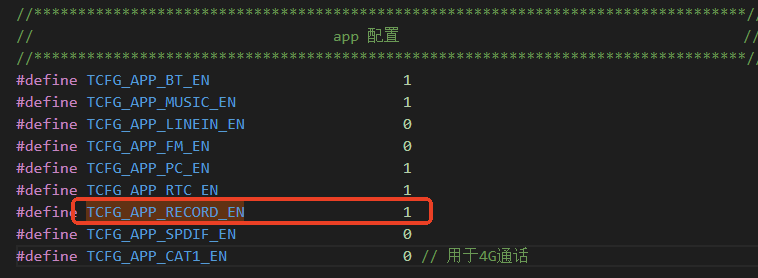
开启录音功能的宏定义 以701为例,开启录音功能配置如下:
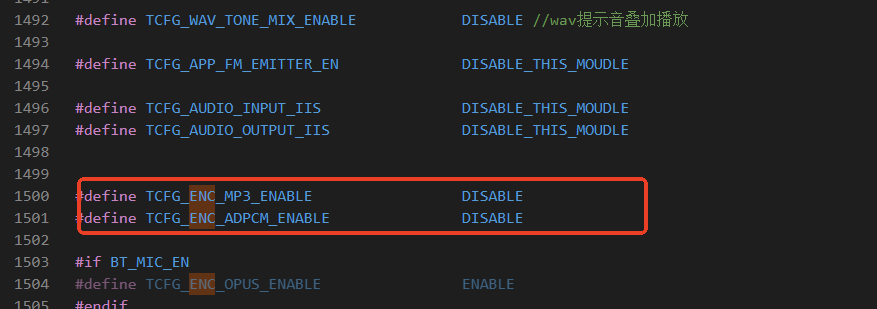
开启对应的编码格式 录音需要开启编码格式,支持的编码格式有常用的MP3/WAV(ADPCM)等,根据需求开启对应的编码格式。
- 录音功能函数接口
- 启动录音
void record_mic_start(void)
2. 停止录音
void recorder_encode_stop(void)
3. 暂停/继续录音

4. 播放录音文件
// 录音文件播放
int record_file_play(void);
// 指定路径播放录音文件
int record_file_play_by_path(char *path);
5. 获取录音时长
int recorder_get_enc_time()
// 获取录音播放总事件
int record_file_get_total_time(void);
// 获取录音播放当前时间
int record_file_dec_get_cur_time(void);
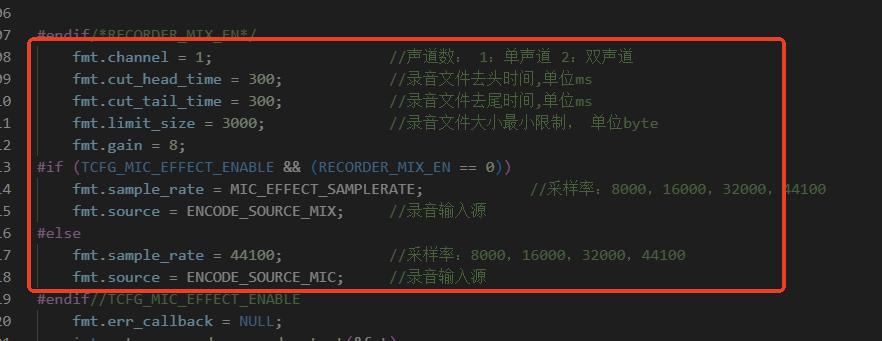
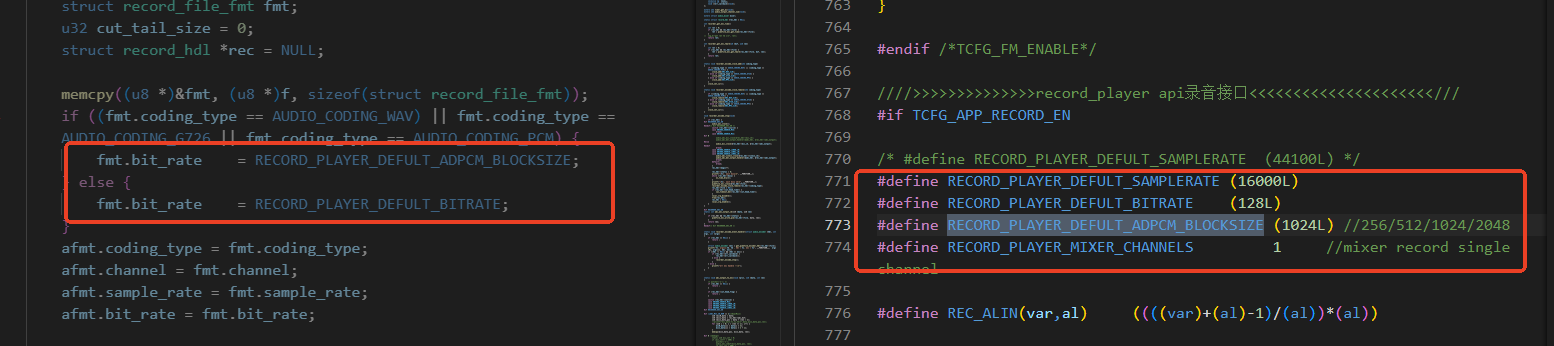
6、录音比特率采样率等配置
7、录音加入AEC 功能
 3. 录音实际功能
1、本地录音
常规录音功能,录制到本地存储设备(SD卡/U盘等)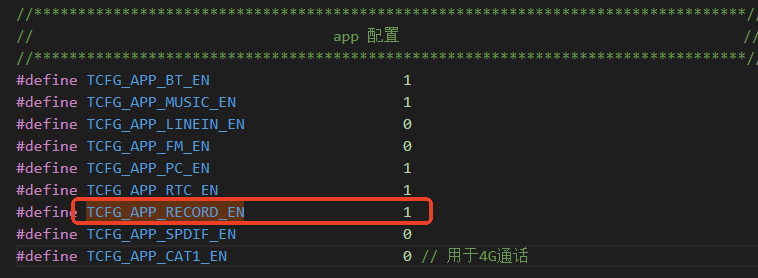
2、录音上传APP
通过mic 采集的数据上传到APP中进行语音识别和翻译功能。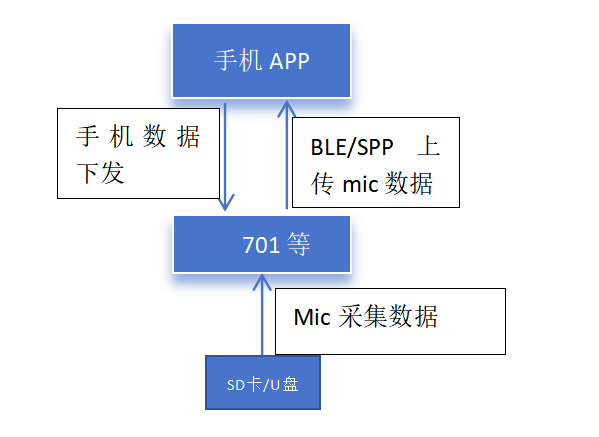
下面是701n系列录音上传APP的demo,通过OPUS压缩后上传APP,APP进行识别做翻译或者语音识别功能。
701n录音上传APP.rar
3、通话录音功能
通话录音就是录制通话过程中的语音数据保留在本地。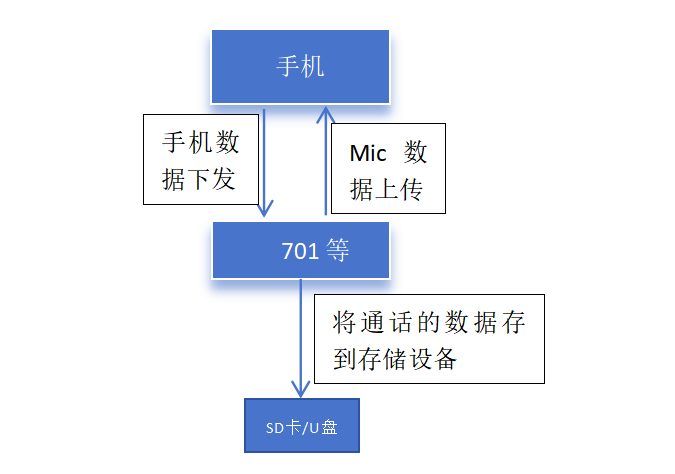 参考实现代码demo:通话录音audio_recorder_mix.rar
通话录音只能录制ADPCM数据,即是WAV格式编码。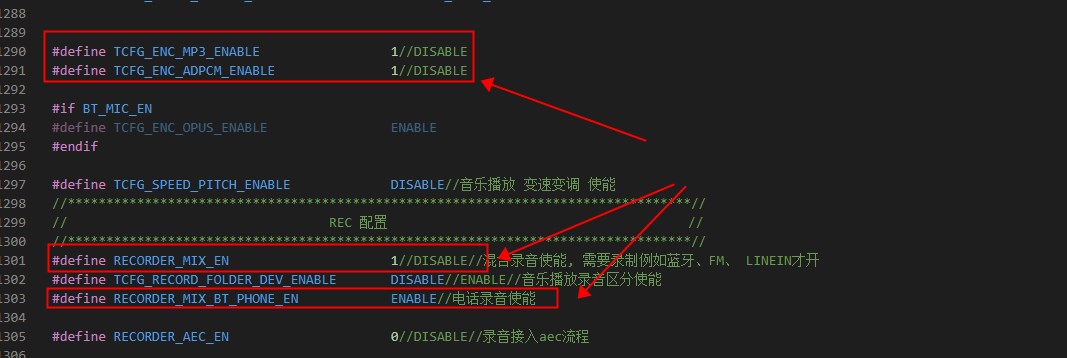
本文档为保密信息,未经授权,请勿转发或告知第三方。非常感谢!
This electronic documentation and any attachments are confidential and may be legally privileged or otherwise protected from disclosure. If you are not the intended recipient, please do not disclose the contents to anyone。
Thank you for your cooperation!
解析权归杰理所有!
The analysis right belongs to JieLi Technology Co., Ltd.