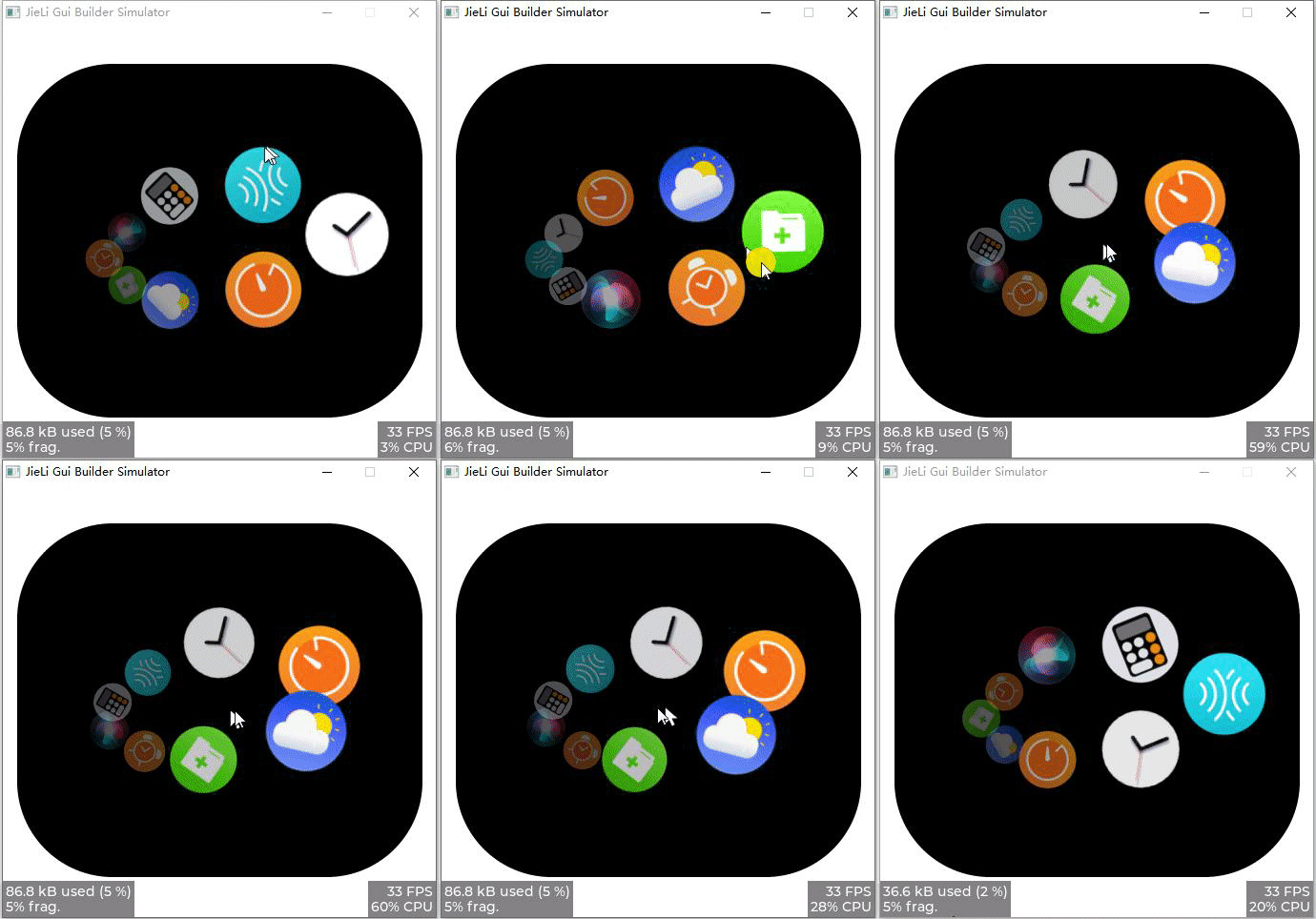
轮盘菜单
轮盘菜单(ArcWheel)用于以椭圆/圆形轨迹展示菜单项,支持拖拽旋转、循环/非循环、松手吸附,以及默认的
滑动缩放效果和自定义位置变换回调。
属性
| Property | Description |
|---|---|
| Menu | 菜单项列表 |
| Visible Count | 可见菜单数量;0 表示自动(使用实际菜单项数量) |
| Radius X | 椭圆 X 轴半径 |
| Radius Y | 椭圆 Y 轴半径 |
| Angle Offset | 角度偏移,用于控制子项的起始方向(0° 右、90° 下、180° 左、270° 上) |
| Px Per Angle | 每度像素数 |
| Scroll Dir | 滑动方向,支持 水平 垂直 |
| Friction Factor | 摩擦系数(0~1),控制滑动后的减速速率;值越小减速越快 |
| Snap Factor | 吸附系数(0~1),控制吸附动画的速度/强度 |
| Is Snap | 是否吸附,启用后松手会自动对齐到最近的菜单项 |
| LoopMode | 循环模式,启用后可循环旋转;关闭后到达首尾将停止 |
| Menu Image Zoom | 菜单项图片基础缩放比例(256 为原始大小;启用文件存储时生效) |
| Menu Style | 菜单样式,支持 滑动缩放 自定义 |
轮盘菜单 的 Menu 属性可以选择在 菜单管理 中配置好的菜单项列表。具体使用参见菜单
Visible Count(可见数量)说明
Visible Count = 0:角度间隔由菜单项总数决定(angle_step = 360 / 菜单项数量),默认显示全部菜单项。Visible Count > 0:角度间隔固定为(angle_step = 360 / Visible Count),当菜单项数量大于Visible Count时,仅显示距离当前角度最近的Visible Count个菜单项,其余会隐藏以减少遮挡。- 当菜单项数量
<= 1或Visible Count <= 1时,角度间隔为0,控件无法旋转。
样式属性
不同菜单样式,支持的属性不同,具体如下:
- 滑动缩放
| Property | Description |
|---|---|
| Zoom Min | 最小缩放值(256 为 1.0) |
| Zoom Max | 最大缩放值(256 为 1.0) |
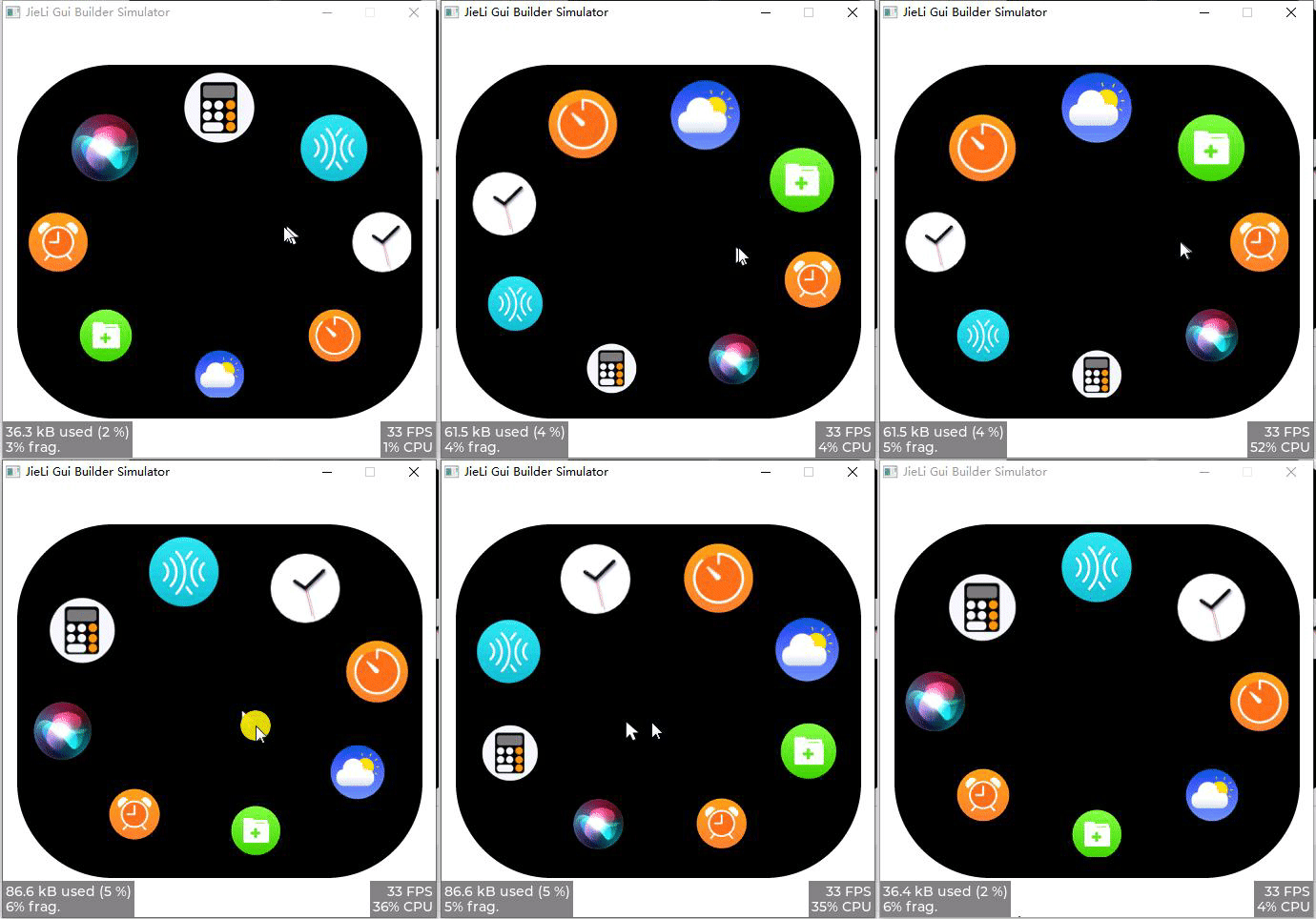
滑动缩放 会根据子项当前角度计算缩放:默认 270° 方向(上方)的子项更大、90° 方向(下方)的子项更小;可通过反向设置 Zoom Min 和 Zoom Max 的值来调整。
- 自定义
| Property | Description |
|---|---|
| Nop1 | 自定义属性1 |
| Nop2 | 自定义属性2 |
| Nop3 | 自定义属性3 |
| Nop4 | 自定义属性4 |
当 Menu Style 选择 自定义 时,可以通过 位置变换 编写子项位置/缩放的变换回调函数。
样式
| Style | Part | Description |
|---|---|---|
| Padding Left | Main | 左内边距 |
| Padding Right | Main | 右内边距 |
| Padding Top | Main | 上内边距 |
| Padding Bottom | Main | 下内边距 |
使用
- 菜单配置
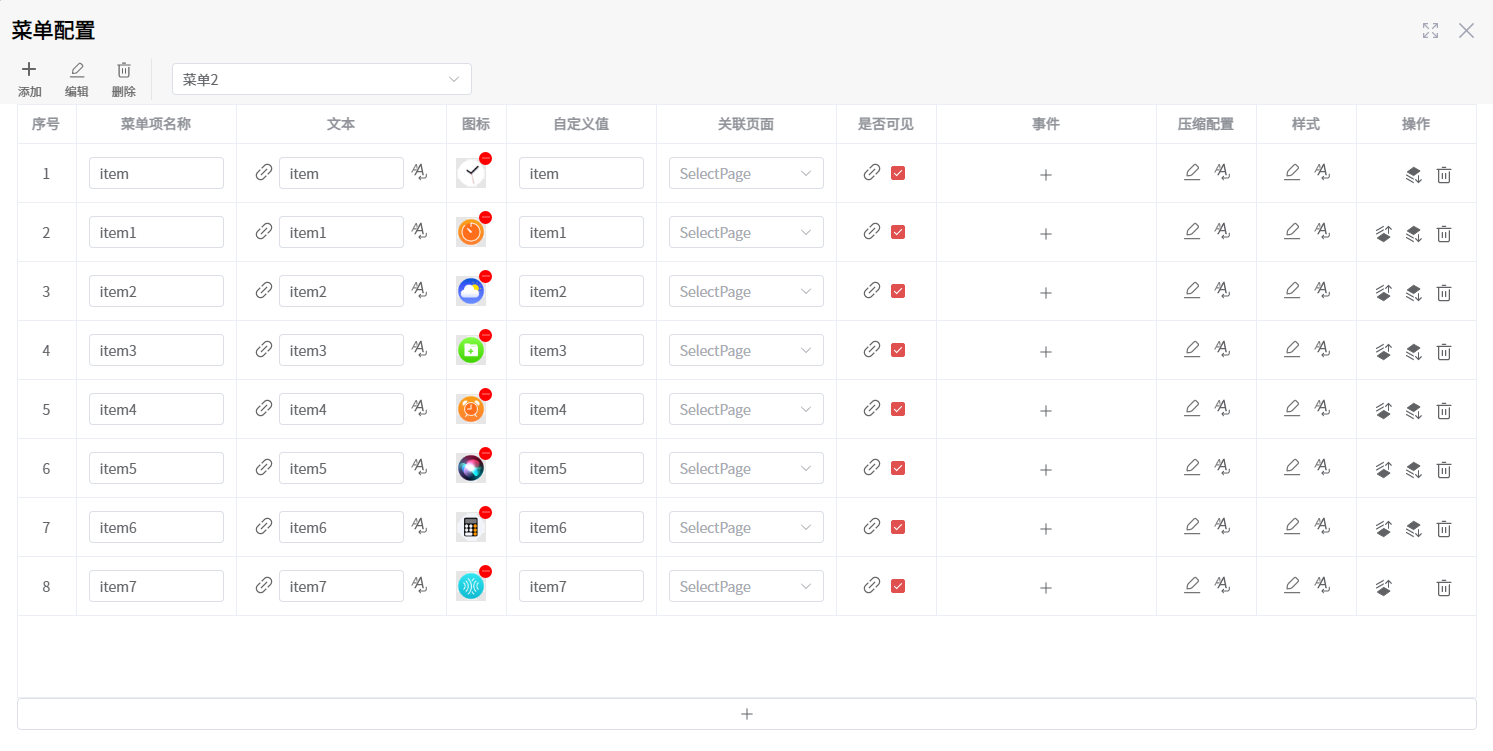
滑动缩放
- 控件属性
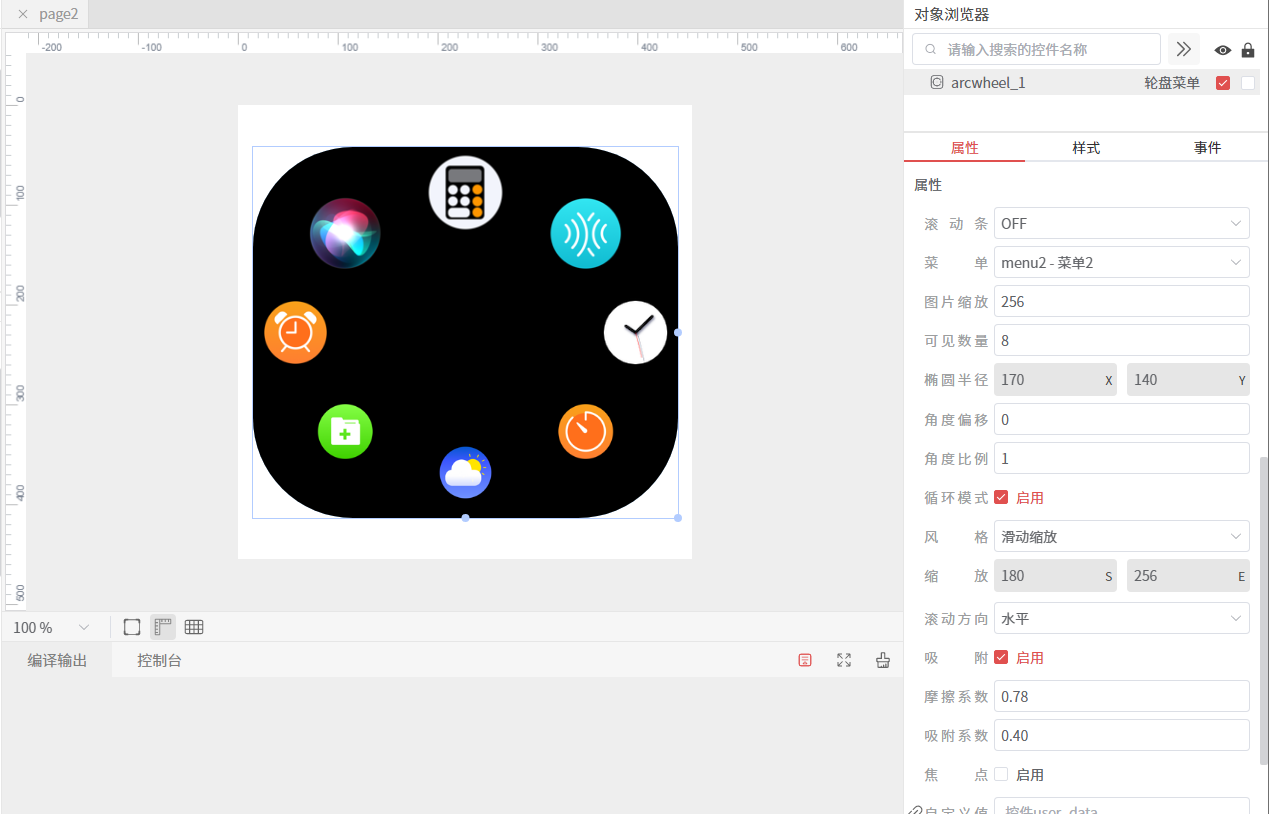
- 仿真
自定义
在 自定义 样式中,设计阶段会以 滑动缩放 的 Zoom Min/Zoom Max = 256 来显示。
- 控件属性
点击 位置变换 按钮,可以编写 位置变换 回调函数的实现。
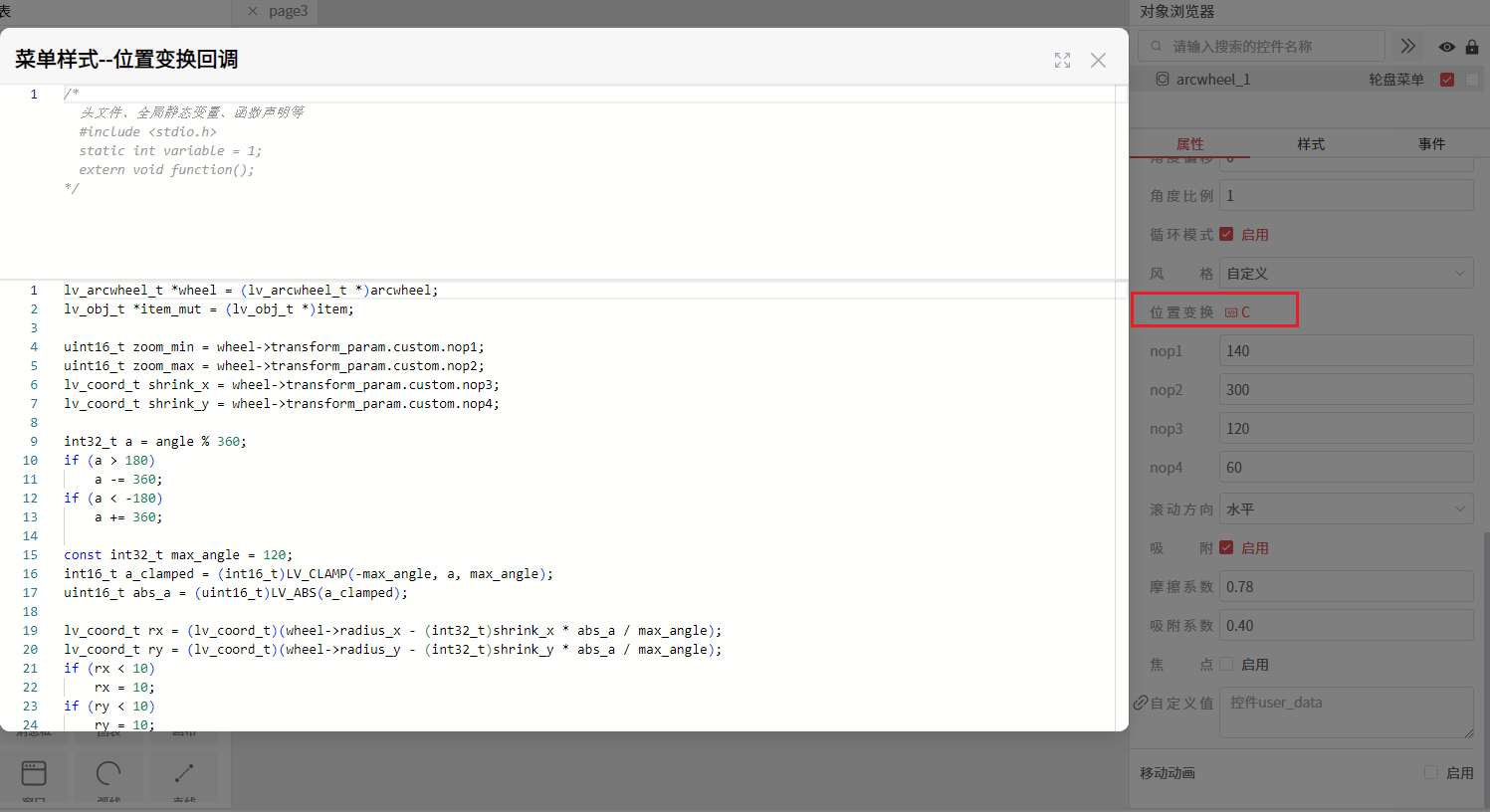
螺旋纵深回调实现
uint16_t transform_cb(const lv_obj_t * arcwheel, const lv_obj_t * item, lv_coord_t angle, lv_point_t * item_pos)
{
	lv_arcwheel_t *wheel = (lv_arcwheel_t *)arcwheel;
	lv_obj_t *item_mut = (lv_obj_t *)item;

	uint16_t zoom_min = wheel->transform_param.custom.nop1;
	uint16_t zoom_max = wheel->transform_param.custom.nop2;
	lv_coord_t shrink_x = wheel->transform_param.custom.nop3;
	lv_coord_t shrink_y = wheel->transform_param.custom.nop4;

	int32_t a = angle % 360;
	if (a > 180)
	    a -= 360;
	if (a < -180)
	    a += 360;

	const int32_t max_angle = 120;
	int16_t a_clamped = (int16_t)LV_CLAMP(-max_angle, a, max_angle);
	uint16_t abs_a = (uint16_t)LV_ABS(a_clamped);

	lv_coord_t rx = (lv_coord_t)(wheel->radius_x - (int32_t)shrink_x * abs_a / max_angle);
	lv_coord_t ry = (lv_coord_t)(wheel->radius_y - (int32_t)shrink_y * abs_a / max_angle);
	if (rx < 10)
	    rx = 10;
	if (ry < 10)
	    ry = 10;

	lv_coord_t sin_val = lv_trigo_sin((int16_t)angle);
	lv_coord_t cos_val = lv_trigo_sin((int16_t)(angle + 90));

	item_pos->x = (lv_coord_t)((int32_t)rx * cos_val / LV_TRIGO_SIN_MAX);
	item_pos->y = (lv_coord_t)((int32_t)ry * sin_val / LV_TRIGO_SIN_MAX);
	item_pos->x -= (lv_coord_t)(shrink_x / 2);

	uint32_t t256 = 0;
	if (max_angle > 0)
	{
	    t256 = (abs_a >= (uint16_t)max_angle) ? 256u : (uint32_t)abs_a * 256u / (uint32_t)max_angle;
	}
	t256 = (t256 * t256) / 256u;

	int32_t zoom_i32 = (int32_t)zoom_max + (((int32_t)zoom_min - (int32_t)zoom_max) * (int32_t)t256) / 256;
	zoom_i32 = LV_CLAMP(0, zoom_i32, 0xFFFF);
	uint16_t zoom = (uint16_t)zoom_i32;

	int32_t opa_i32 = (int32_t)LV_OPA_COVER + (((int32_t)80 - (int32_t)LV_OPA_COVER) * (int32_t)t256) / 256;
	opa_i32 = LV_CLAMP(0, opa_i32, 255);
	lv_opa_t opa = (lv_opa_t)opa_i32;

	lv_obj_set_style_transform_pivot_x(item_mut, lv_obj_get_width(item_mut) / 2, LV_PART_MAIN);
	lv_obj_set_style_transform_pivot_y(item_mut, lv_obj_get_height(item_mut) / 2, LV_PART_MAIN);
	lv_obj_set_style_transform_angle(item_mut, (lv_coord_t)(a_clamped / 2) * 10, LV_PART_MAIN);
	lv_obj_set_style_img_opa(item_mut, opa, LV_PART_MAIN);

	return zoom;
}
- 仿真