表盘传输APP层的压缩算法
📎 原始文档:https://www.kdocs.cn/l/ct8WYOPUyvk1 表盘传输APP层的压缩算法
一、android案例
- 网页介绍 【金山文档】 杰理健康SDK(Android)开发资料_V1.7.1
https://kdocs.cn/l/cbXVH5Rf44Pz
2. 功能说明 — 杰理健康开发文档(Android) 1.7.0 documentation (zh-jieli.com)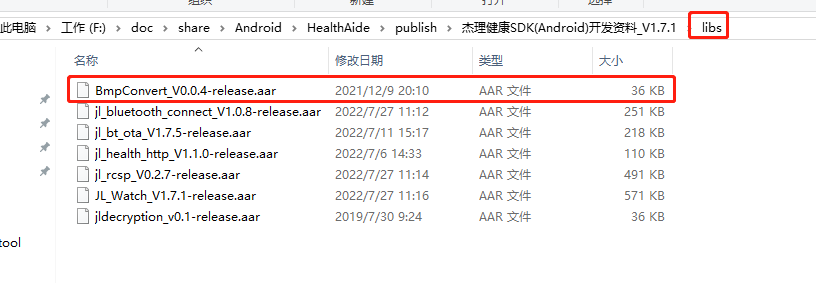
2.AC695N
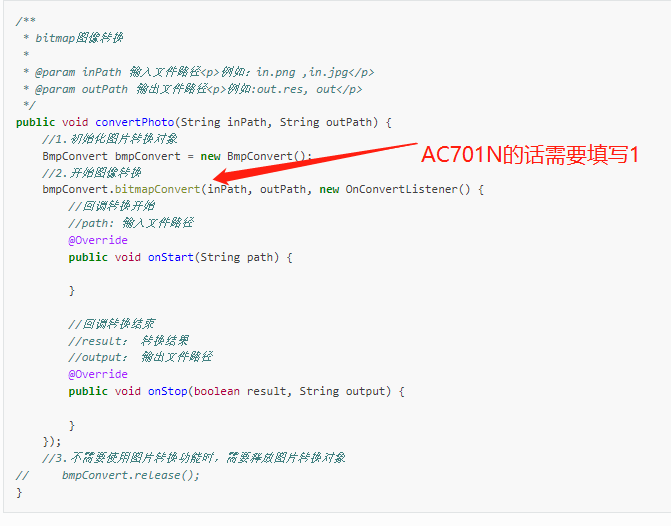
/**
 * bitmap图像转换
 *
 * @param inPath 输入文件路径<p>例如:in.png ,in.jpg</p>
 * @param outPath 输出文件路径<p>例如:out.res, out</p>
 */
public void convertPhoto(String inPath, String outPath) {
    //1.初始化图片转换对象
    BmpConvert bmpConvert = new BmpConvert();
    //2.开始图像转换
    bmpConvert.bitmapConvert(inPath, outPath, new OnConvertListener() {
        //回调转换开始
        //path: 输入文件路径
        @Override
        public void onStart(String path) {

        }

        //回调转换结束
        //result: 转换结果
        //output: 输出文件路径
        @Override
        public void onStop(boolean result, String output) {

        }
    });
    //3.不需要使用图片转换功能时,需要释放图片转换对象
//     bmpConvert.release();
}
3.JL701N
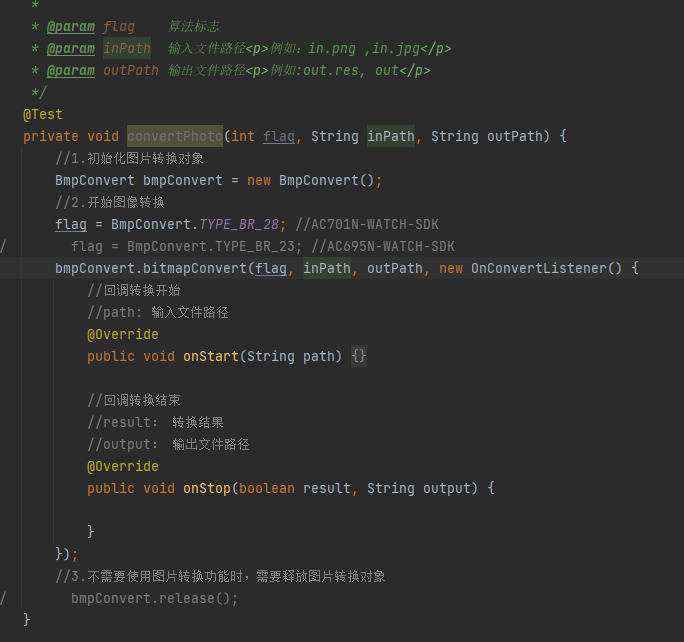
/**
 * bitmap图像转换
 *
 * @param inPath 输入文件路径<p>例如:in.png ,in.jpg</p>
 * @param outPath 输出文件路径<p>例如:out.res, out</p>
 */
public void convertPhoto(int flag, String inPath, String outPath) {
    //1.初始化图片转换对象
    BmpConvert bmpConvert = new BmpConvert();
    //2.开始图像转换
    flag = BmpConvert.TYPE_BR_28;    //JL701N-WATCH-SDK
    //flag = BmpConvert.TYPE_BR_23;    //AC695N-WATCH-SDK
    bmpConvert.bitmapConvert(flag, inPath, outPath, new OnConvertListener() {
        //回调转换开始
        //path: 输入文件路径
        @Override
        public void onStart(String path) {

        }

        //回调转换结束
        //result: 转换结果
        //output: 输出文件路径
        @Override
        public void onStop(boolean result, String output) {

        }
    });
    //3.不需要使用图片转换功能时,需要释放图片转换对象
//     bmpConvert.release();
}
二、IOS案例
【金山文档】 杰理健康SDK(IOS)开发资料_V1.6.3
https://kdocs.cn/l/cuh8DEfwGT6K
iOS端的压缩算法接口在JLBLEKit.framework的bmp_convert.h 头文件下面,所给出的是C语言接口
/*
 *输入:
 *    inbuf    : bmp图像raw数据(像素排列顺序 BGRA...BGRA, inbuf大小为inWidth*inHeight*4)
 *    inWidth  : bmp图像的宽度
 *    inHeight : bmp图像的高度
 *输出:
 *    outbuf   : 存放转换后的数据缓存,为NULL时计算需要的缓存大小
 *    outsize  : 数据缓存大小
 *返回值   :
 *    转换后的数据大小
 */
int br23_bmp_to_res(u8 *inbuf, u32 inWidth, u32 inHeight, u8 *outbuf, u32 outsize);

/*
 * 输入:
 *     infile : bmp图像raw数据的文件路径(像素排列顺序 BGRA...BGRA, 文件大小为width*height*4)
 *     width  : bmp图像宽度
 *     height : bmp图像高度
 * 输出:
 *     outfile : 输出文件路径(转换后的文件)
 * 返回值:
 *     0 : 转换失败(输入的width, height与infile文件的大小不匹配)
 *     1 : 转换成功
 */
int br23_btm_to_res_path(char *infile, int width, int height, char *outfile);

/*
 *输入:
 *    inbuf    : bmp图像raw数据(像素排列顺序 BGRA...BGRA, inbuf大小为inWidth*inHeight*4)
 *    inWidth  : bmp图像的宽度
 *    inHeight : bmp图像的高度
 *输出:
 *    outbuf   : 存放转换后的数据缓存,为NULL时计算需要的缓存大小
 *    outsize  : 数据缓存大小
 *返回值   :
 *    转换后的数据大小
 */
int br28_bmp_to_res(u8 *inbuf, u32 inWidth, u32 inHeight, u8 *outbuf, u32 outsize);

/*
 * 输入:
 *     infile : bmp图像raw数据的文件路径(像素排列顺序 BGRA...BGRA, 文件大小为width*height*4)
 *     width  : bmp图像宽度
 *     height : bmp图像高度
 * 输出:
 *     outfile : 输出文件路径(转换后的文件)
 * 返回值:
 *     0 : 转换失败(输入的width, height与infile文件的大小不匹配)
 *     1 : 转换成功
 */
int br28_btm_to_res_path(char *infile, int width, int height, char *outfile);
使用示例:
-(void)changeImageToBin{
    JL_ManagerM *cmdMgr = [[JL_RunSDK sharedMe] mBleEntityM].mCmdManager;
    JLModel_Device *model = [cmdMgr outputDeviceModel];
    uint16_t dev_W = model.flashInfo.mScreenWidth;
    uint16_t dev_H = model.flashInfo.mScreenHeight;
    //这里获得的表盘尺寸大小来自设备
    if (dev_W == 0) dev_W = 240;
    if (dev_H == 0) dev_H = 240;
    NSData *imageData = [BitmapTool resizeImage:image andResizeTo:CGSizeMake(dev_W, dev_H)];

    NSString *bmpPath = [JL_Tools listPath:NSLibraryDirectory MiddlePath:@"" File:@"ios_test.bmp"];
    NSString *binPath = [JL_Tools listPath:NSLibraryDirectory MiddlePath:@"" File:self.watchBinName];

    [JL_Tools removePath:bmpPath];
    [JL_Tools removePath:binPath];

    [JL_Tools createOn:NSLibraryDirectory MiddlePath:@"" File:@"ios_test.bmp"];
    [JL_Tools createOn:NSLibraryDirectory MiddlePath:@"" File:self.watchBinName];

    UIImage *image = [UIImage imageWithData:imageData];
    int width = image.size.width;
    int height = image.size.height;
    NSLog(@"压缩分辨率 ---> w:%df h:%df",width,height);

    NSData *bitmap = [BitmapTool convert_B_G_R_A_BytesFromImage:image];
    [JL_Tools writeData:bitmap fillFile:bmpPath];


    //这里主要通过手表类型来作区分,选择对应的压缩算法
    if (model.sdkType == JL_SDKType701xWATCH) {
        /*--- BR28压缩算法 ---*/
        br28_btm_to_res_path((char*)[bmpPath UTF8String], width, height, (char*)[binPath UTF8String]);
        NSLog(@"--->Br28 BIN【%@】is OK!", self.watchBinName);
    }else{
        /*--- BR23压缩算法 ---*/
        br23_btm_to_res_path((char*)[bmpPath UTF8String], width, height, (char*)[binPath UTF8String]);
        NSLog(@"--->Br23 BIN【%@】is OK!", self.watchBinName);
    }

//最后这里,是压缩完的文件放到指定的文件夹,当然也可以选择另外的方法,直接压缩完在这里使用
}