792 littlefs文件系统配置
📎 原始文档:https://www.kdocs.cn/l/crgx0wgHYfWc 792 littlefs配置
在线文档
10.6. LittleFs — JL Project Documentation
配置
通过codeblock编译,请修改如下
添加littlefs源码到cbp工程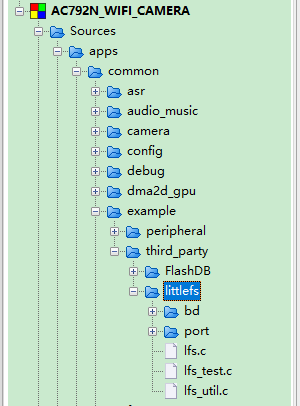
补充头文件搜索路径
......\common\example\third_party\littlefs
......\common\example\third_party\littlefs\bd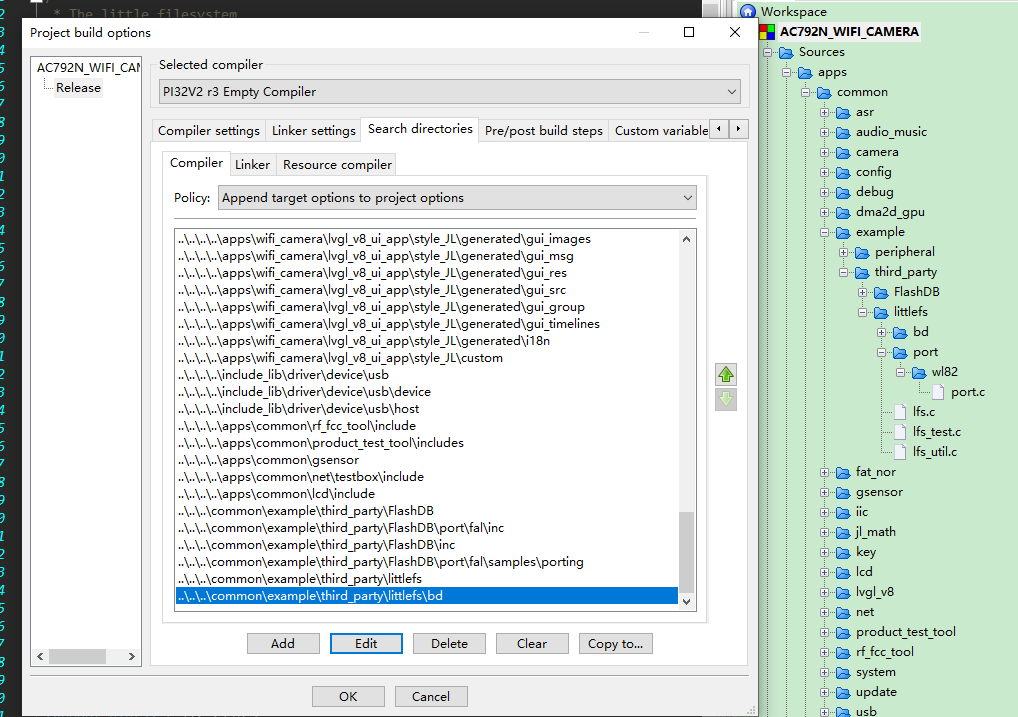
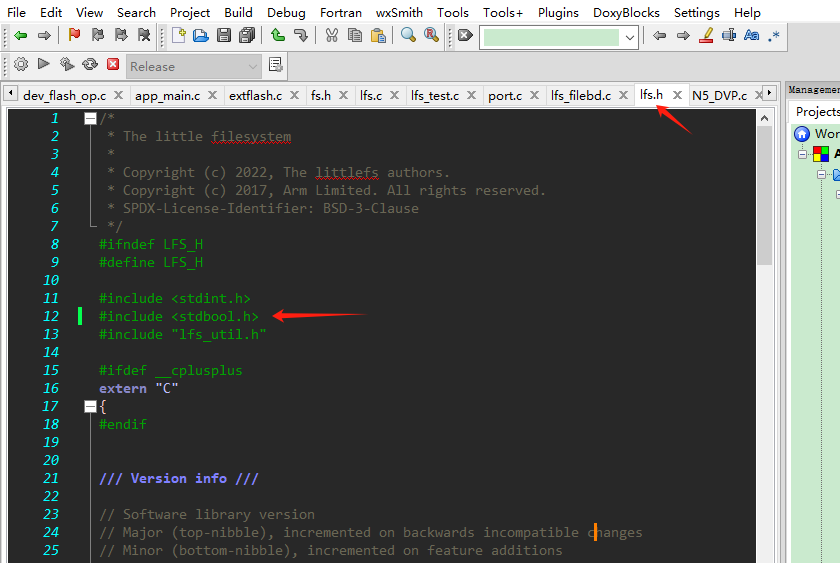
通过vscode编译,请修改对应makefile如下:
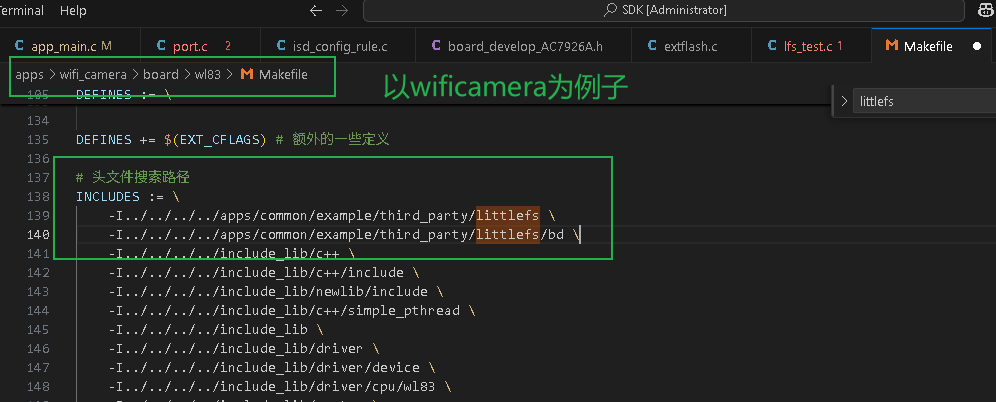
    -I../../../../apps/common/example/third_party/littlefs \
    -I../../../../apps/common/example/third_party/littlefs/bd \
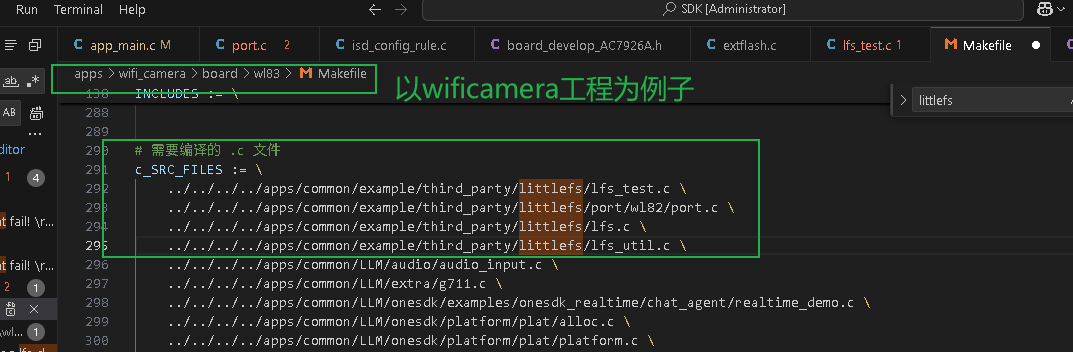
    ../../../../apps/common/example/third_party/littlefs/lfs_test.c \
    ../../../../apps/common/example/third_party/littlefs/port/wl82/port.c \
    ../../../../apps/common/example/third_party/littlefs/lfs.c \
    ../../../../apps/common/example/third_party/littlefs/lfs_util.c \
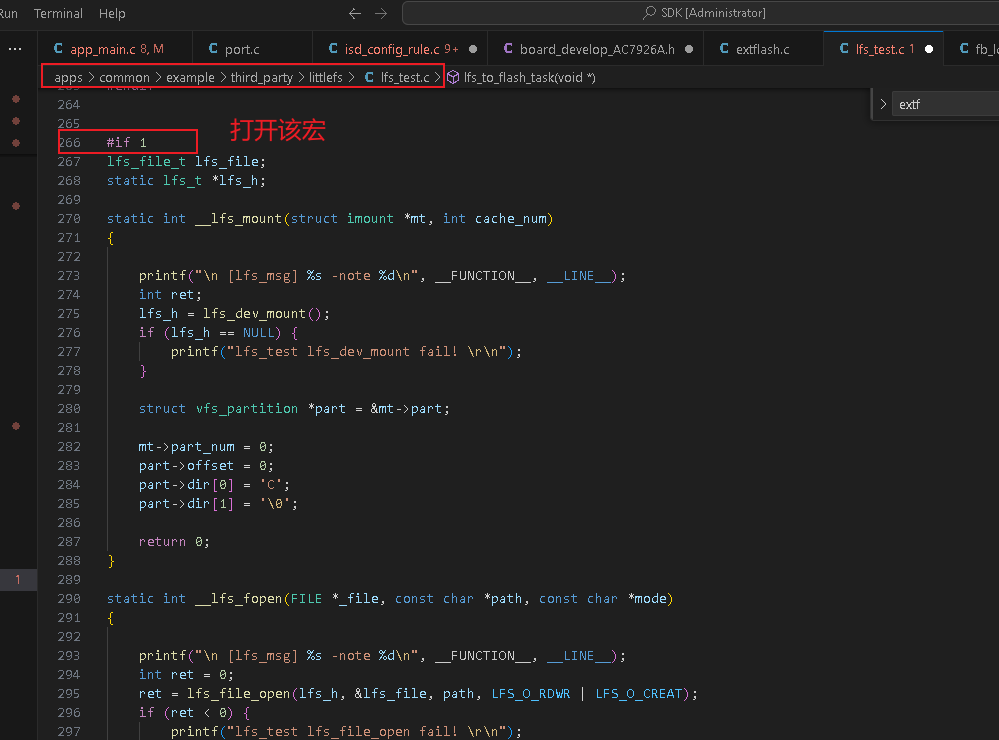
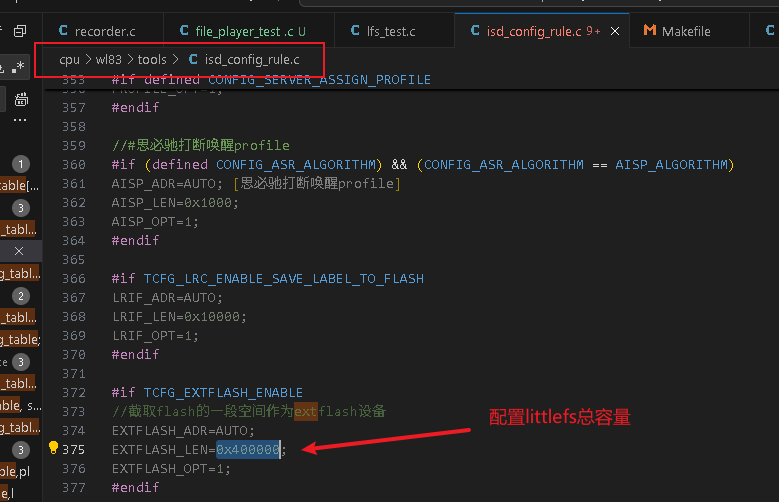
应用层配置参考
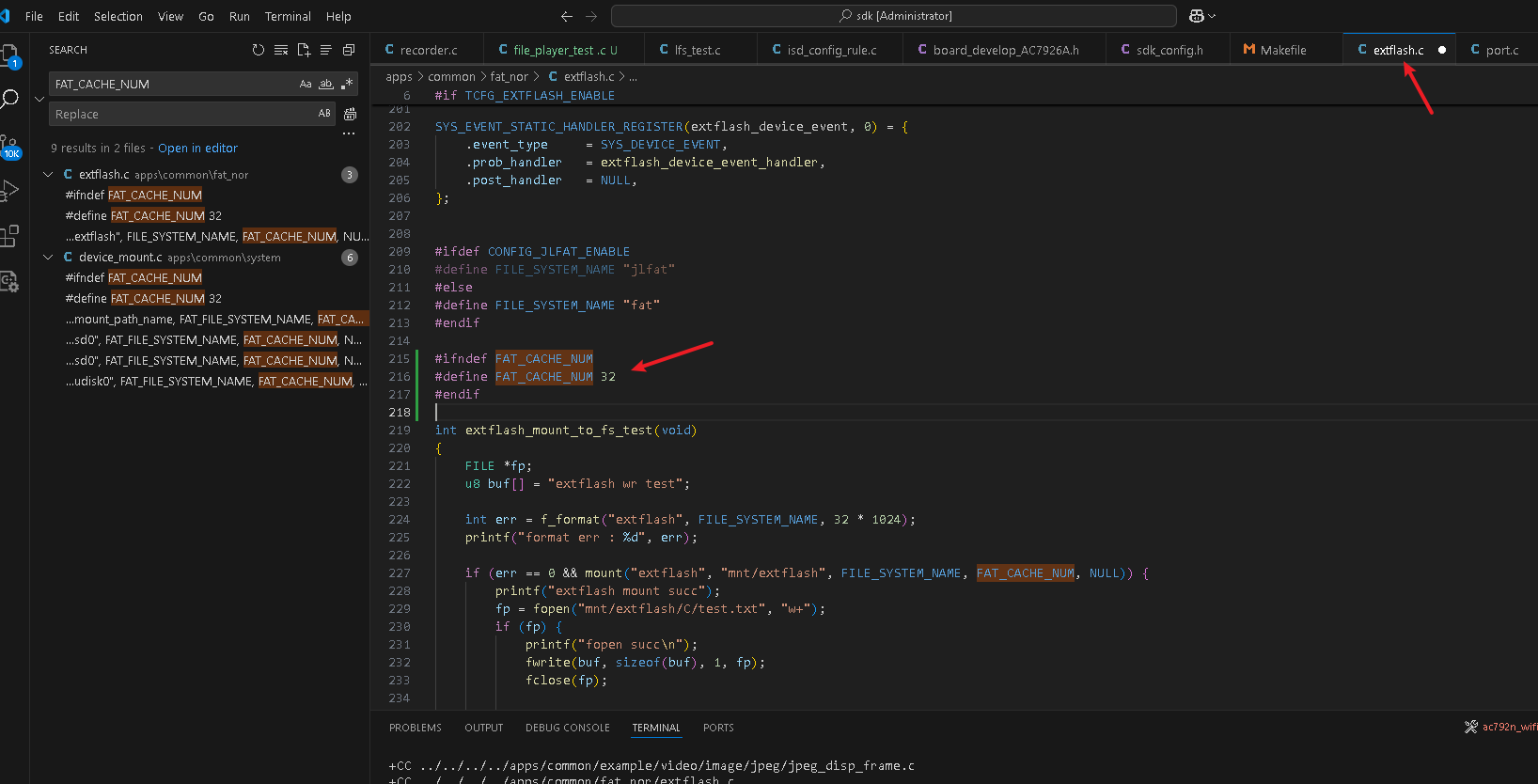
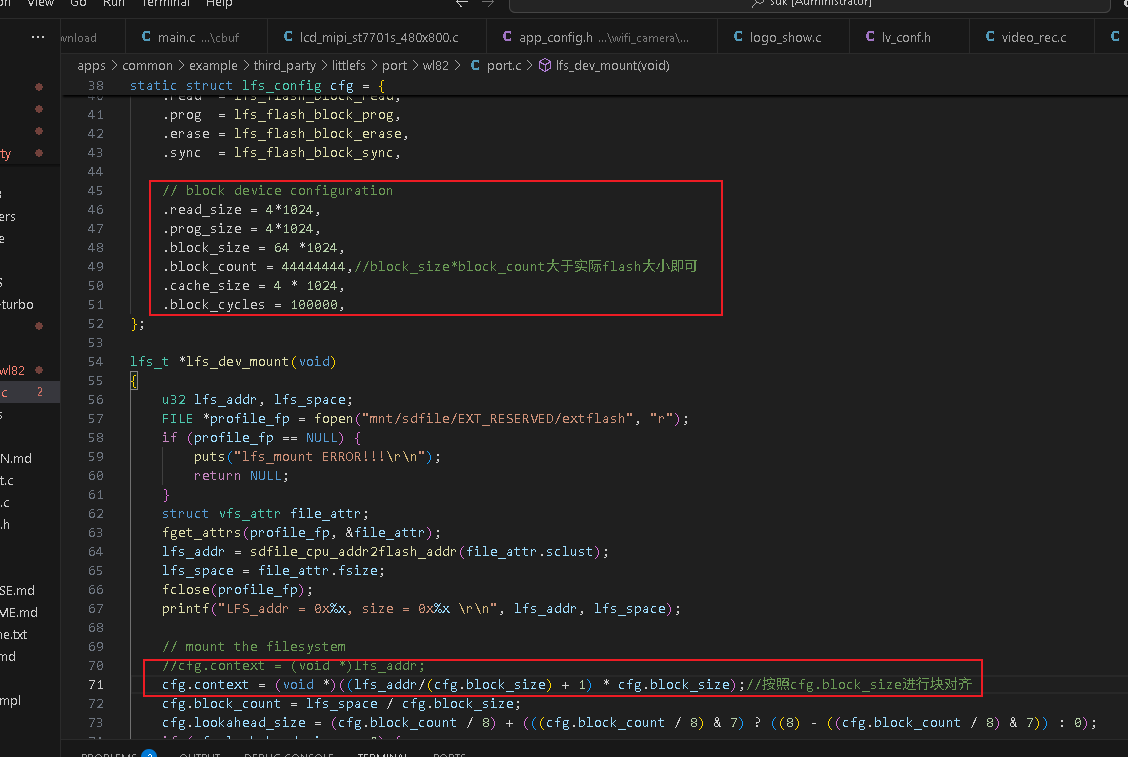
    // block device configuration
    .read_size = 4*1024,
    .prog_size = 4*1024,
    .block_size = 4*1024,
    .block_count = 44444444,
    .cache_size = 4*1024,
    .block_cycles = 100000,

cfg.context = (void *)((lfs_addr/(cfg.block_size)+1)*cfg.block_size);
擦写函数修改如下
否则出现文件读异常问题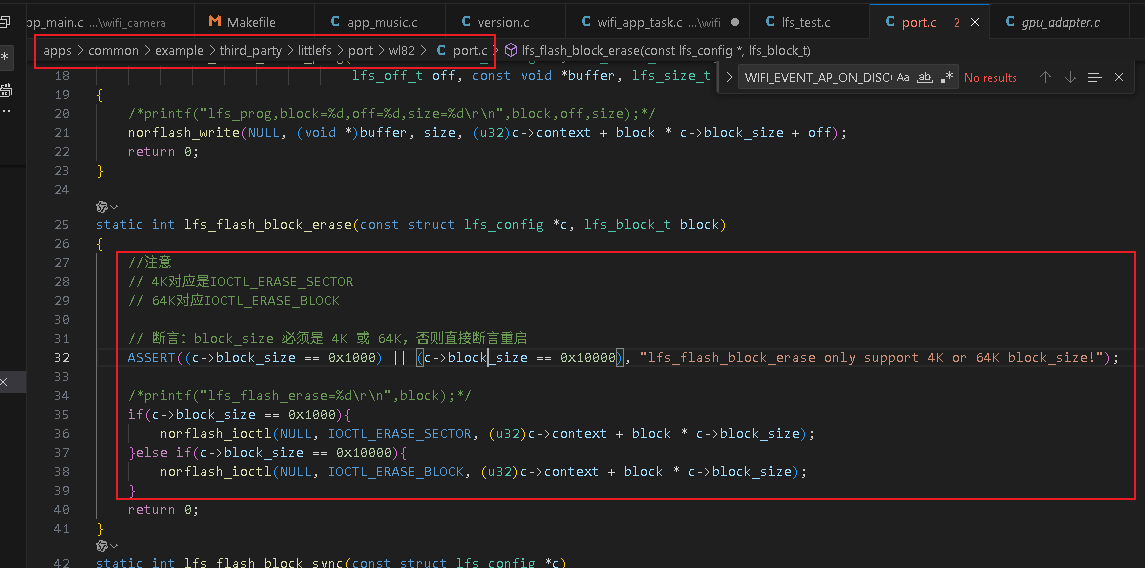
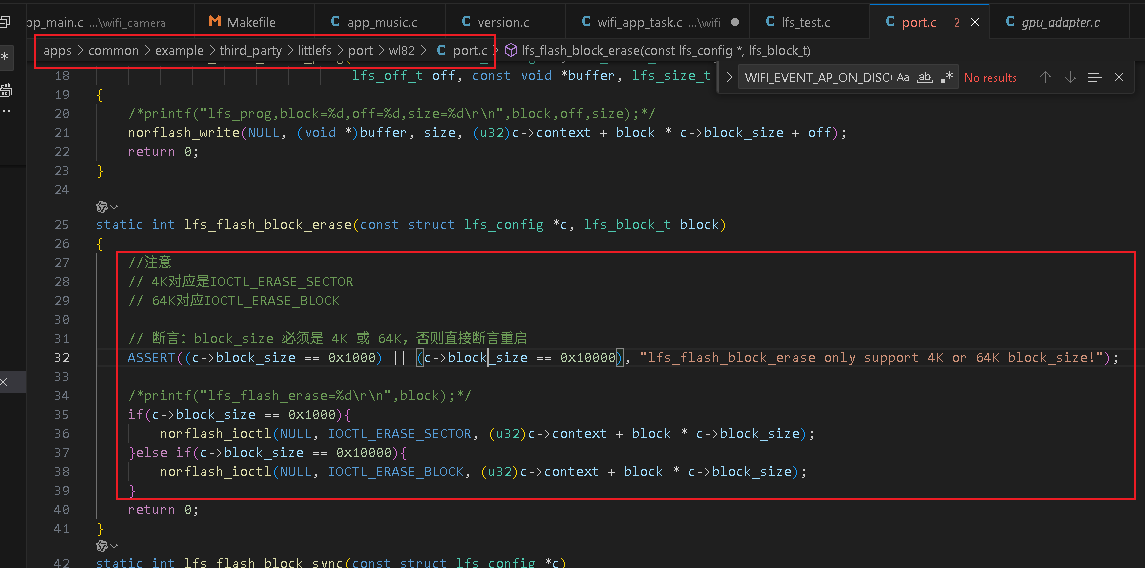
static int lfs_flash_block_erase(const struct lfs_config *c, lfs_block_t block)
{
    //注意
    // 4K对应是IOCTL_ERASE_SECTOR
    // 64K对应IOCTL_ERASE_BLOCK

    // 断言:block_size 必须是 4K 或 64K,否则直接断言重启
    ASSERT((c->block_size == 0x1000) || (c->block_size == 0x10000), "lfs_flash_block_erase only support 4K or 64K block_size!");

    /*printf("lfs_flash_erase=%d\r\n",block);*/
    if(c->block_size == 0x1000){
        norflash_ioctl(NULL, IOCTL_ERASE_SECTOR, (u32)c->context + block * c->block_size);
    }else if(c->block_size == 0x10000){
        norflash_ioctl(NULL, IOCTL_ERASE_BLOCK, (u32)c->context + block * c->block_size);
    }
    return 0;
}
测试验证代码
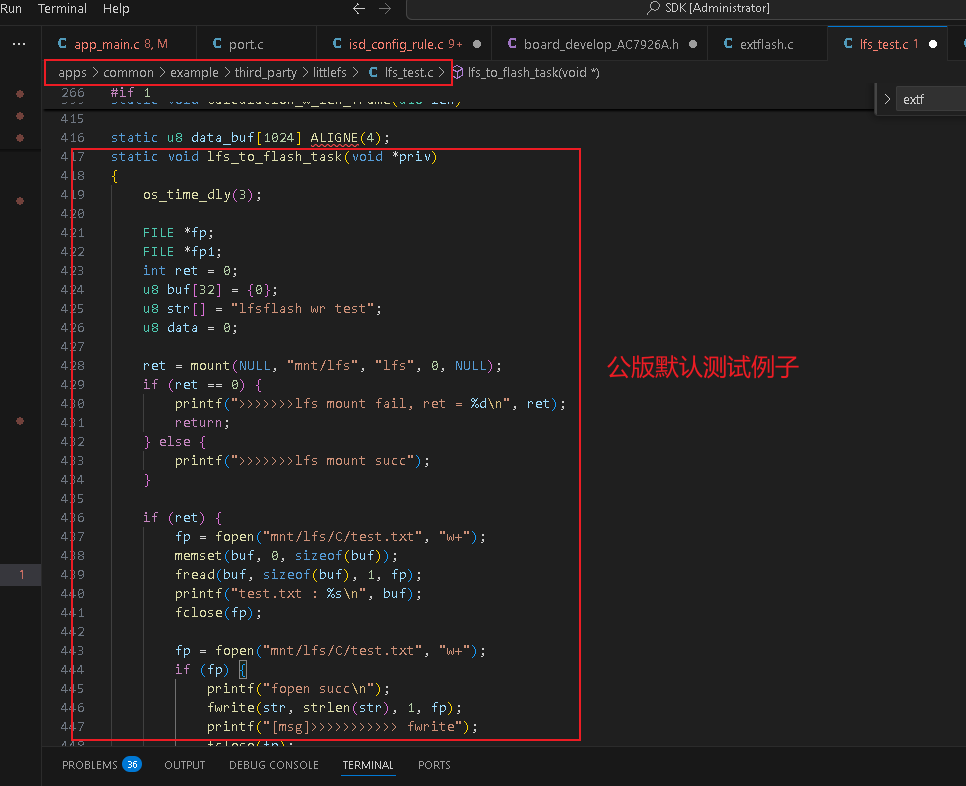
从SD卡根目录读取test.txt文件,写到little fs
    FILE* fp = fopen(CONFIG_ROOT_PATH"test.txt", "r");

    if(fp){
        if(test_buf){
            fread(test_buf, flen(fp), 1, fp);
            fclose(fp);

            FILE*fp_lfs = fopen("mnt/lfs/C/test.txt", "w+");
            if (fp_lfs) {
                printf("fopen succ\n");
                fwrite(test_buf, 80*1024, 1, fp_lfs);
                printf("[msg]>>>>>>>>>>> fwrite");
                fclose(fp_lfs);
                printf("[msg]>>>>>>>>>>> fclose");
            } else {
                printf("[msg]>>>>>>>>>>> open fail");
            }

        }

    }else{
        printf("[chili]: %s %d\n",__func__, __LINE__);
    }
Windows电脑端查看lfs文件方式
10.6. LittleFs — JL Project Documentation
LittleFS Explorer软件查看lfs的文件.otl
常见问题
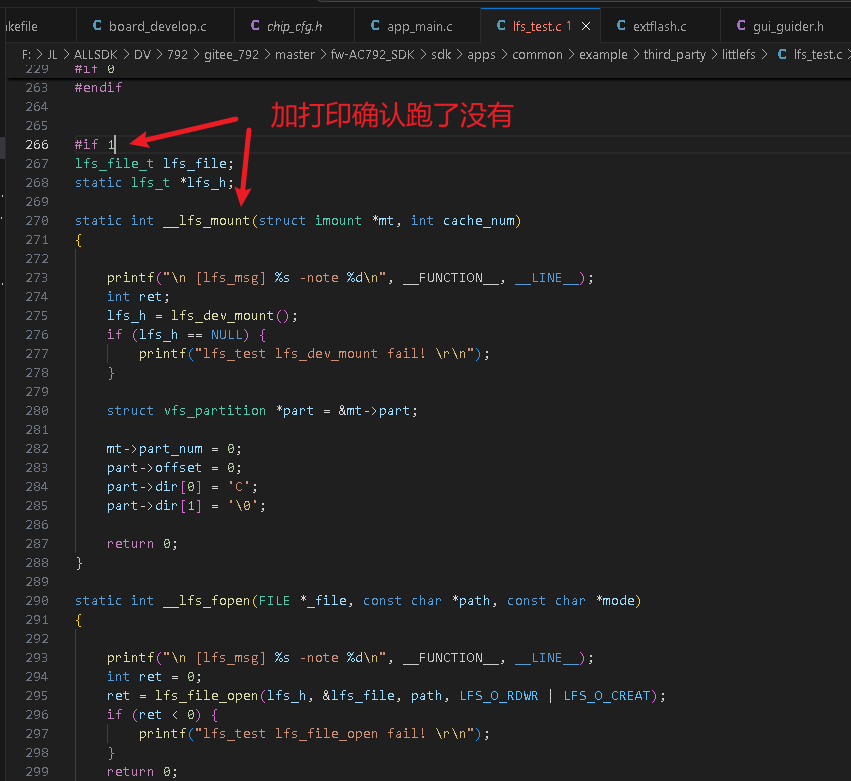
littlefs挂载失败
可能未注册相关littlefs操作回调函数到底层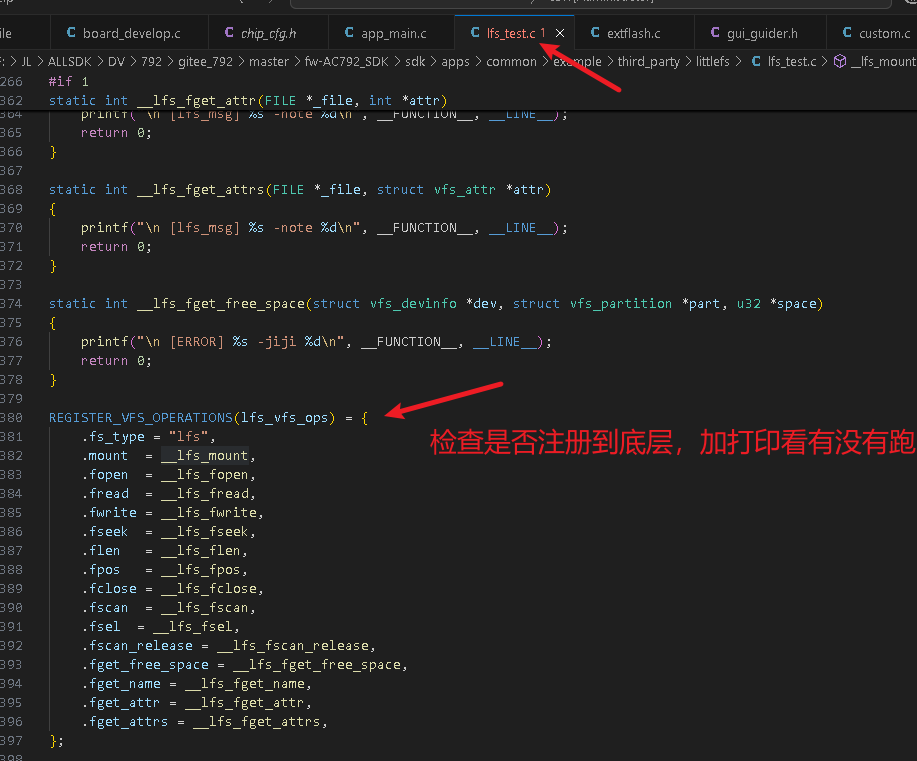
无法用fdelete接口删除文件
需要用lfs_remove去删除
                //以删除mnt/lfs/C/eye.avi为例子
                struct lfs_info info;
                int res = lfs_stat(lfs_h, "/eye.avi", &info);//lfs_接口不需要mnt/lfs/C
                printf("[chili] %s res:%d\n", __func__, res);
                if (res == LFS_ERR_OK) {// 文件存在
                    int remove_err = lfs_remove(lfs_h, "/eye.avi");////lfs_接口不需要mnt/lfs/C
                    if(remove_err){
                        printf("[chili] %s lfs_remove %d\n", __func__, remove_err);
                    }else{
                        printf("[chili] %s lfs_remove %d\n", __func__, remove_err);
                    }
                }
video_dec_server无法解码littlefs的AVI视频
底层video_dec_server服务会向littlefs进行fgetname操作,littlefs默认没有实现fgetname接口导致解码失败返回错误码-22。
解决:
实现littlefs的fgetname接口即可。
1、如下接口替换原本sdk的__lfs_fget_name函数接口:
static char file_path[128]={0};//供外部修改
static int __lfs_fget_name(FILE *_file, u8 *name, int len)
{
    printf("\n [lfs_msg] %s -note %d\n", __FUNCTION__, __LINE__);
    strcpy(name, file_path);
    printf("[chili] name:%s %d\n", name, __LINE__);
    return strlen(name);
}

void chili_set_dec_path(char*name)
{
    printf("[chili] %s %d\n", __func__, __LINE__);
    char path[128] = {0};
    strcpy(path, name);// 注意:strtok会修改原字符串,需用可修改的数组
    char *token;
    char *filename = NULL;

    // 第一次调用strtok,传入原始字符串和分隔符'/'
    token = strtok(path, "/");

    // 循环获取所有分割后的子串,最后一个即为文件名
    while (token != NULL) {
        filename = token;  // 不断更新filename为当前子串
        token = strtok(NULL, "/");  // 后续调用传入NULL
    }

    if (filename != NULL) {
        printf("提取的文件名: %s\n", filename);  // 输出:eye.avi
        strcpy(file_path, filename);
    } else {
        printf("路径无效,未找到文件名!\n");
    }
    printf("[chili] %s %d\n", __func__, __LINE__);
}
2、以logo_show函数的video_dec_server解码服务为例子,解码视频路径应当提前通过chili_set_dec_path函数传递给littlefs: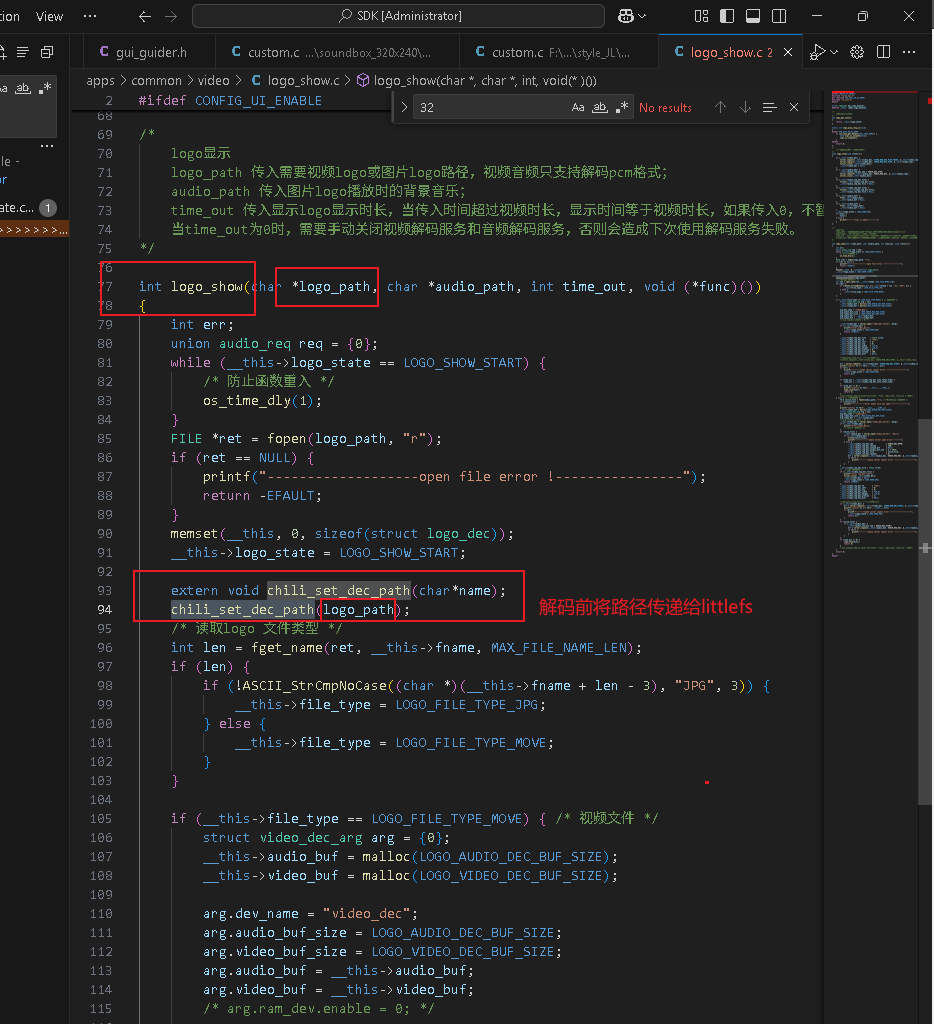
必现Corrupted dir pair异常
littlefs\lfs.c:1275:error: Corrupted dir pair at {0x0, 0x1}
以实际使用情况为准,正确配置extflash长度: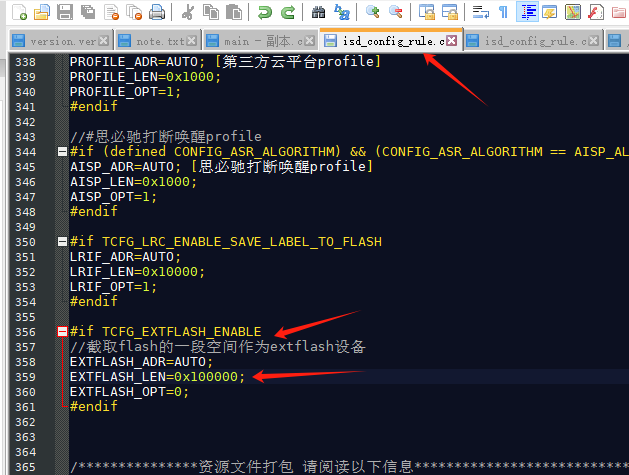
如果还不行,请lfs_format一下再lfs_mount重新挂载lfs
    if (lfs_mount(&lfs, &cfg)) {
        // reformat if we can't mount the filesystem
        // this should only happen on the first boot
        lfs_format(&lfs, &cfg);
        if (lfs_mount(&lfs, &cfg)) {
            puts("lfs_mount fail! \r\n");
            return NULL;
        }

    }
littlefs写速度优化
简介:写入1MB的测试文件到littlefs,耗时15s,大概70KB/s左右。
w25q512JV 64MB flash的擦除特性: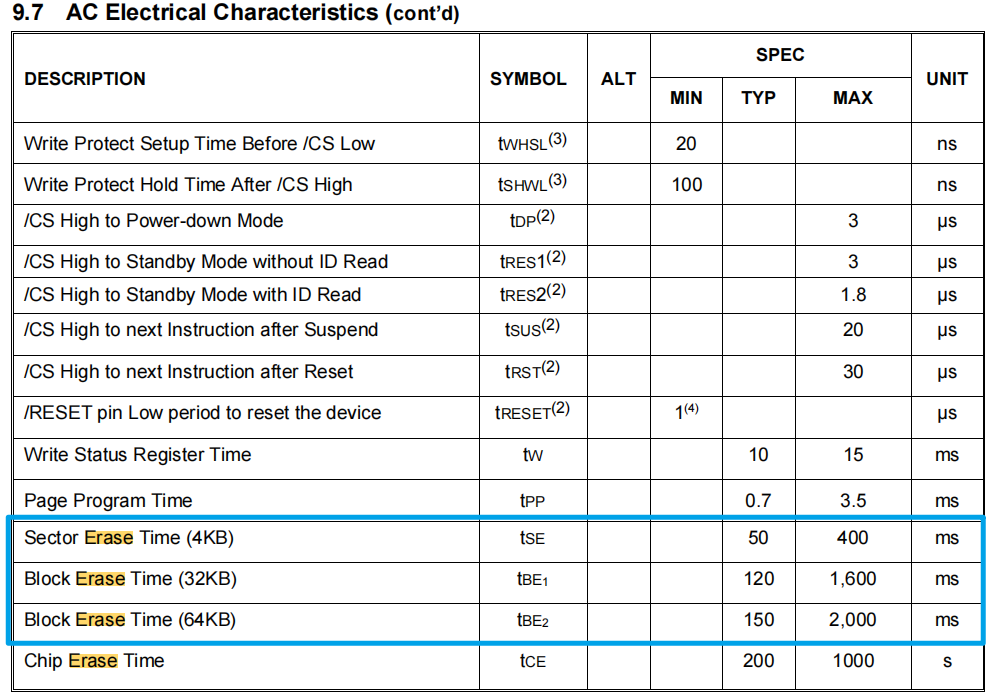
修改如下: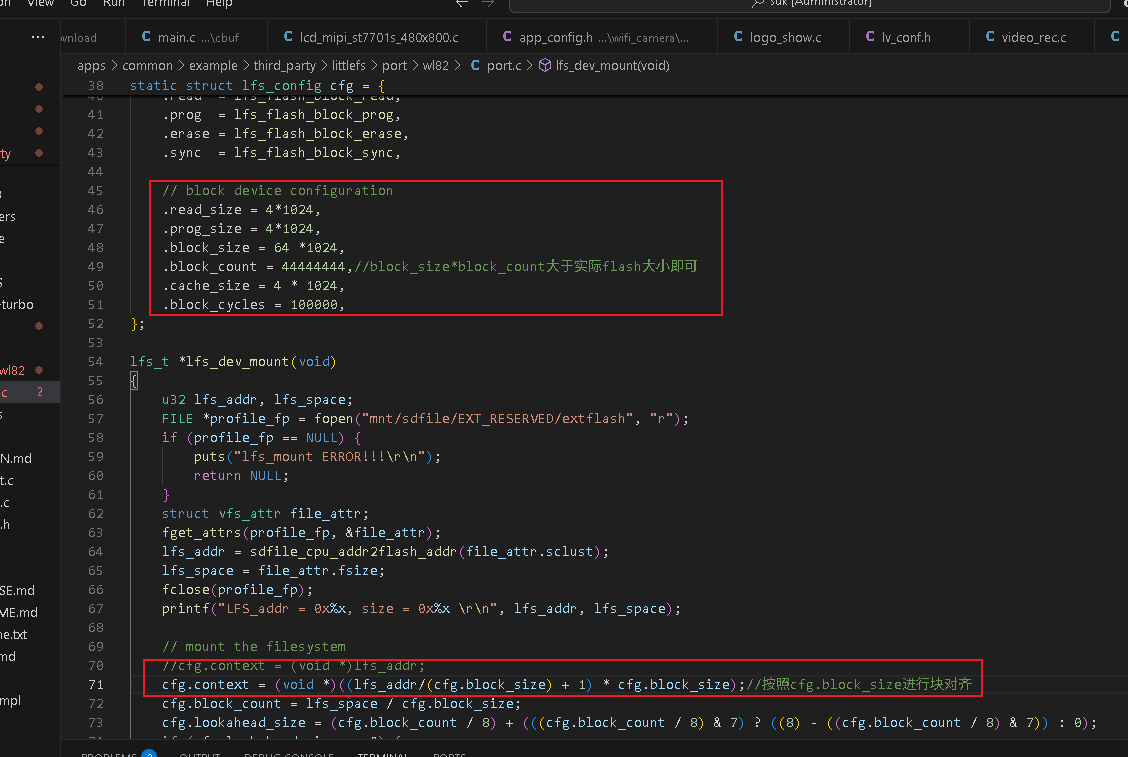
    // block device configuration
    .read_size = 4*1024,
    .prog_size = 4*1024,
    .block_size = 64 *1024,
    .block_count = 44444444,//block_size*block_count大于实际flash大小即可
    .cache_size = 4 * 1024,
    .block_cycles = 100000,

    cfg.context = (void *)((lfs_addr/(cfg.block_size) + 1) * cfg.block_size);//按照cfg.block_size进行块对齐
根据w25q512JV 64MB flash的擦除特性,按照64KB块擦除进行优化,优化后写速度大概140KB/S。
其他型号flash请实际以flash用户手册为准。
lfs会损坏其后面区域的数据
起始地址对齐的问题,需要更新修改lfs_dev_mount函数,代码如下:
lfs_t *lfs_dev_mount(void)
{
    printf("lfs_dev_mount start...\n");
    u32 raw_lfs_addr, lfs_space;

    FILE *profile_fp = fopen("mnt/sdfile/EXT_RESERVED/extflash", "r");
    if (!profile_fp) {
        puts("Failed to open extflash config!\r\n");
        return NULL;
    }

    struct vfs_attr file_attr;
    fget_attrs(profile_fp, &file_attr);
    raw_lfs_addr = sdfile_cpu_addr2flash_addr(file_attr.sclust);
    lfs_space = file_attr.fsize;
    fclose(profile_fp);

    printf("Raw LFS region: 0x%08x, size=0x%x (%u KB)\n",
           raw_lfs_addr, lfs_space, lfs_space / 1024);

    // === Step 1: 对齐起始地址 ===
    u32 block_size = cfg.block_size;
    u32 aligned_start = (raw_lfs_addr + block_size - 1) & ~(block_size - 1);
    printf("Aligned LFS start address: 0x%08x\n", aligned_start);
    // === Step 2: 检查是否还有足够空间 ===
    if (aligned_start - raw_lfs_addr >= lfs_space) {
        printf("ERROR: Not enough space after alignment!\n");
        return NULL;
    }

    u32 usable_space = lfs_space - (aligned_start - raw_lfs_addr);
    u32 block_count = usable_space / block_size;

    if (block_count == 0) {
        printf("ERROR: No complete block available after alignment!\n");
        return NULL;
    }

    // === Step 3: 配置 LFS ===
    cfg.context = (void*)aligned_start;
    cfg.block_count = block_count;
    cfg.lookahead_size = ((block_count + 31) / 32) * 4; // 保证 4-byte 对齐

    printf("Aligned LFS: start=0x%08x, blocks=%u, total=%u KB\n",
           aligned_start, block_count, (block_count * block_size) / 1024);

    // === Mount or format ===
    int err = lfs_mount(&lfs, &cfg);
    if (err) {
        printf("Mount failed (%d), formatting...\n", err);
        if (lfs_format(&lfs, &cfg) || lfs_mount(&lfs, &cfg)) {
            printf("Format or remount failed!\n");
            return NULL;
        }
    }

    return &lfs;
}
读取文件失败
设定的块大小未对应使用相应的底层擦除指令,出现擦除异常。修改如下: